
For central kitchens, catering groups, restaurant chains
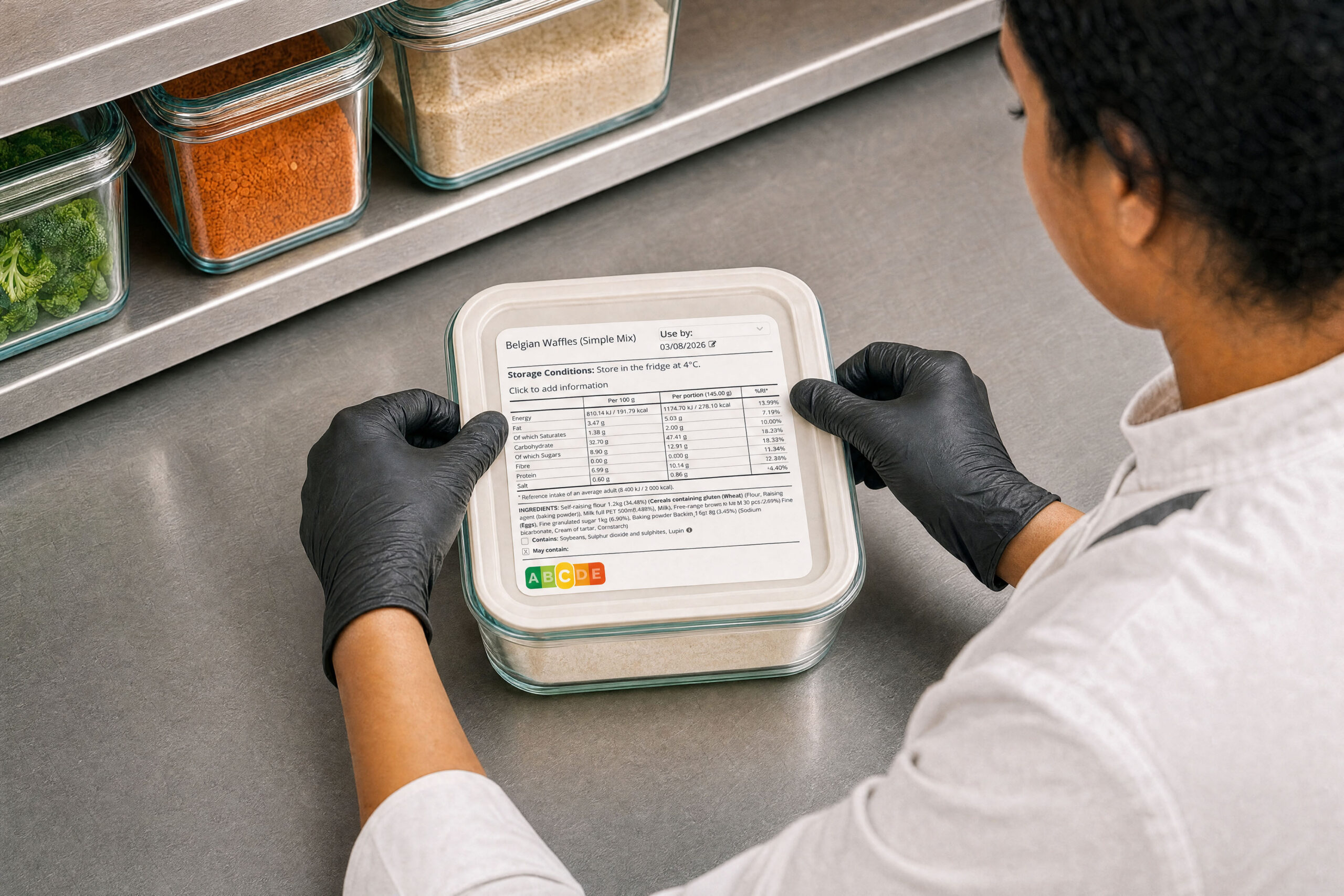


Why Apicbase
Generate prep, rotation, allergen and consumer labels straight from your recipe database.
Labels build themselves from your recipe data, so no one retypes ingredients or allergens by hand.
Update ingredients or recipes once. Every label reflects the change automatically.
Recipes, purchasing, production and labelling all draw on the same central records.
All kitchens in the group generate compliant labels to support FIFO, HACCP and dietary rules.
Every label links back to the recipes, allergens and ingredient records behind it.
Print straight to the label printers already in your kitchens.
What that covers
Label types, from prep stickers to a full consumer declaration, off one recipe.
Regions covered: EU, UK and US. Recipes generate compliant labels per country.
Regulated EU and UK allergens, emphasised in the ingredient list automatically.
Place to change an ingredient. Every label that uses it updates with it.
Label types
From consumer food labels to kitchen date labels, choose the format and print.
On the pack
In the kitchen
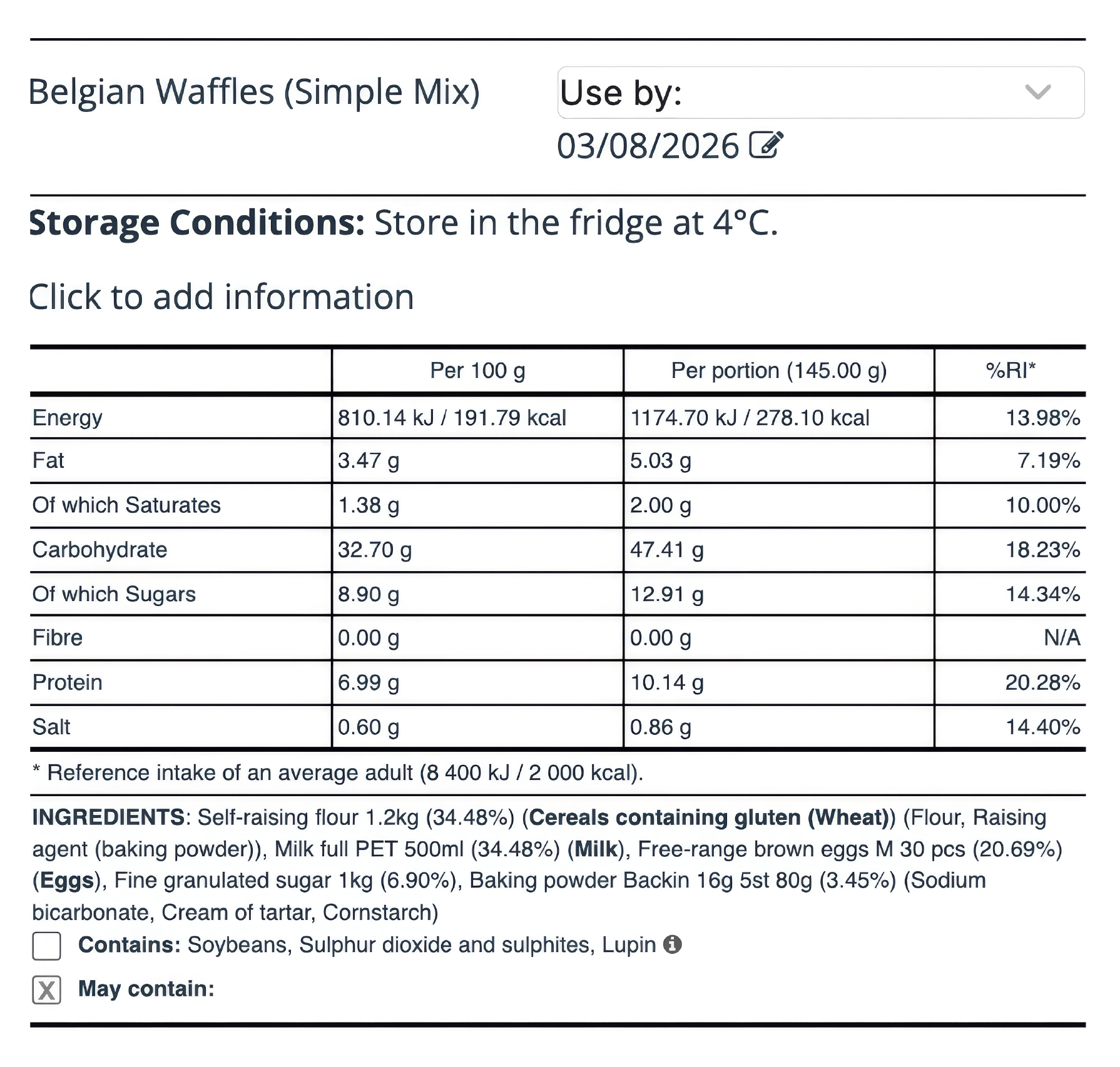
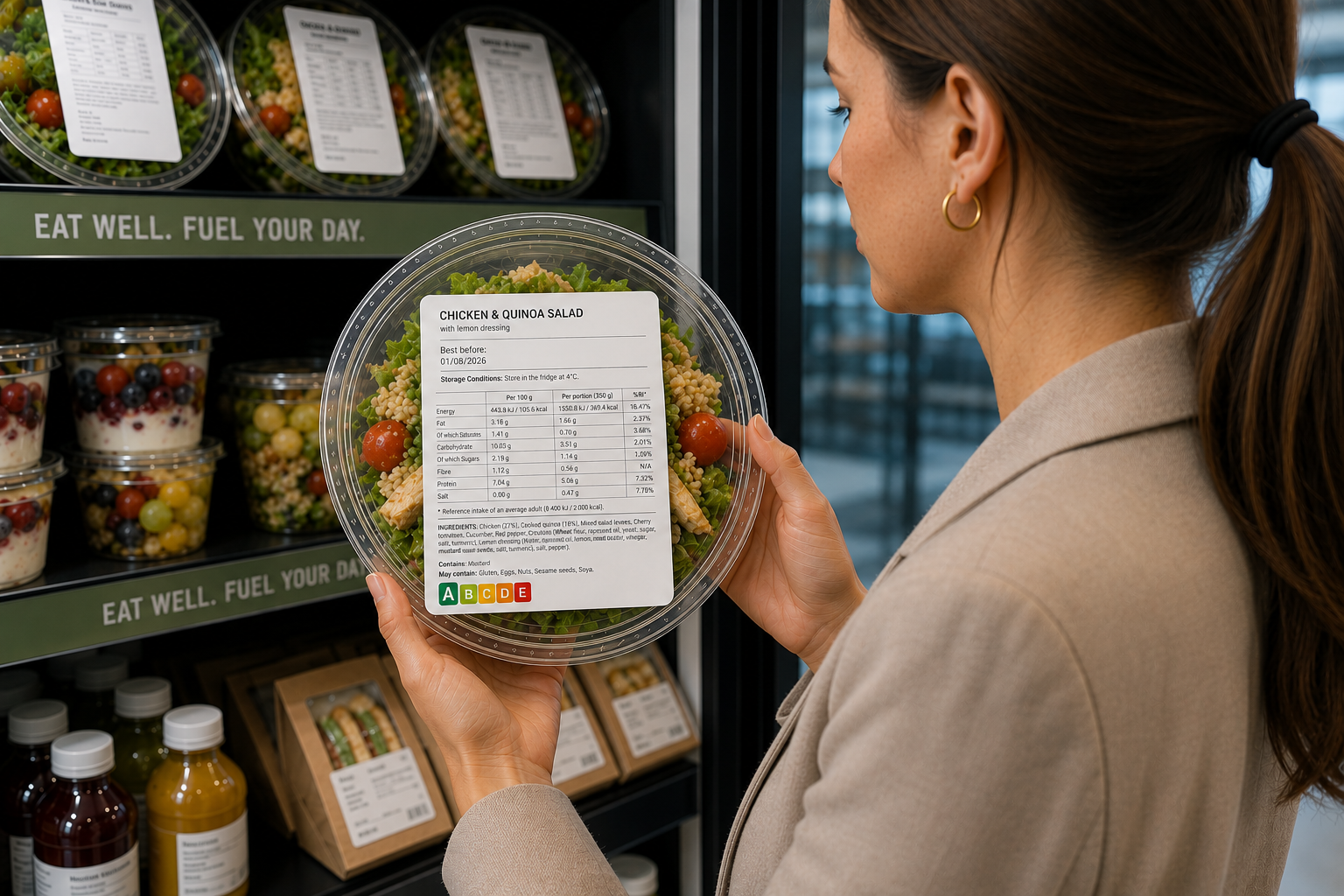
Nutrition per 100 g and per portion with %RI, ingredient list with QUID and the 14 allergens emphasised, storage and best-before. Nutri-Score optional.
Required for: Prepacked and PPDS food sold to guests in the EU, UK and EEA.
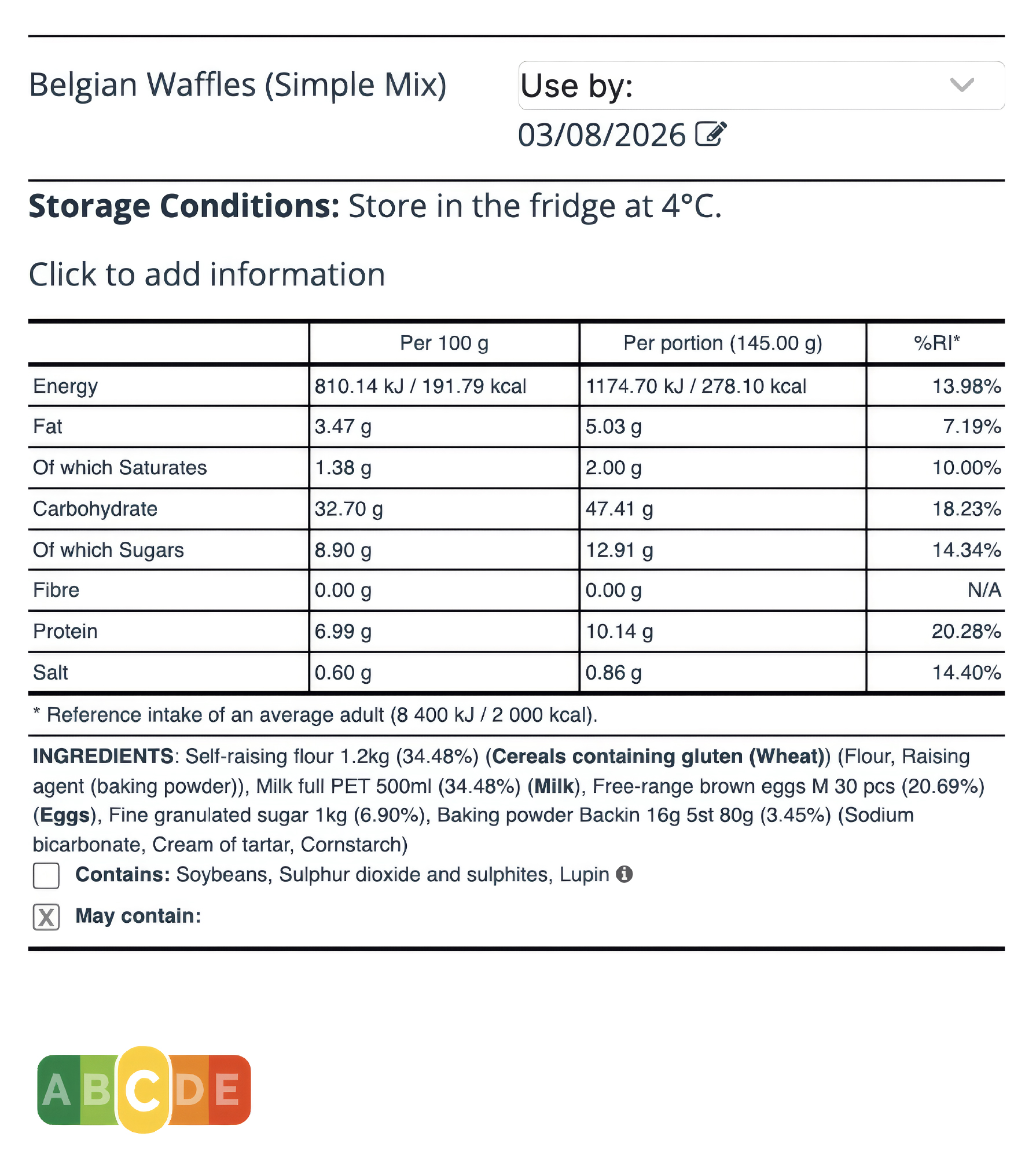
The same EU declaration, with the Nutri-Score grade printed under it. The grade is derived from the nutrition Apicbase already calculates, so it moves when the recipe does.
Required for: Prepacked ranges in markets that use Nutri-Score, such as Belgium, France, Germany, the Netherlands, Spain, Luxembourg and Switzerland.
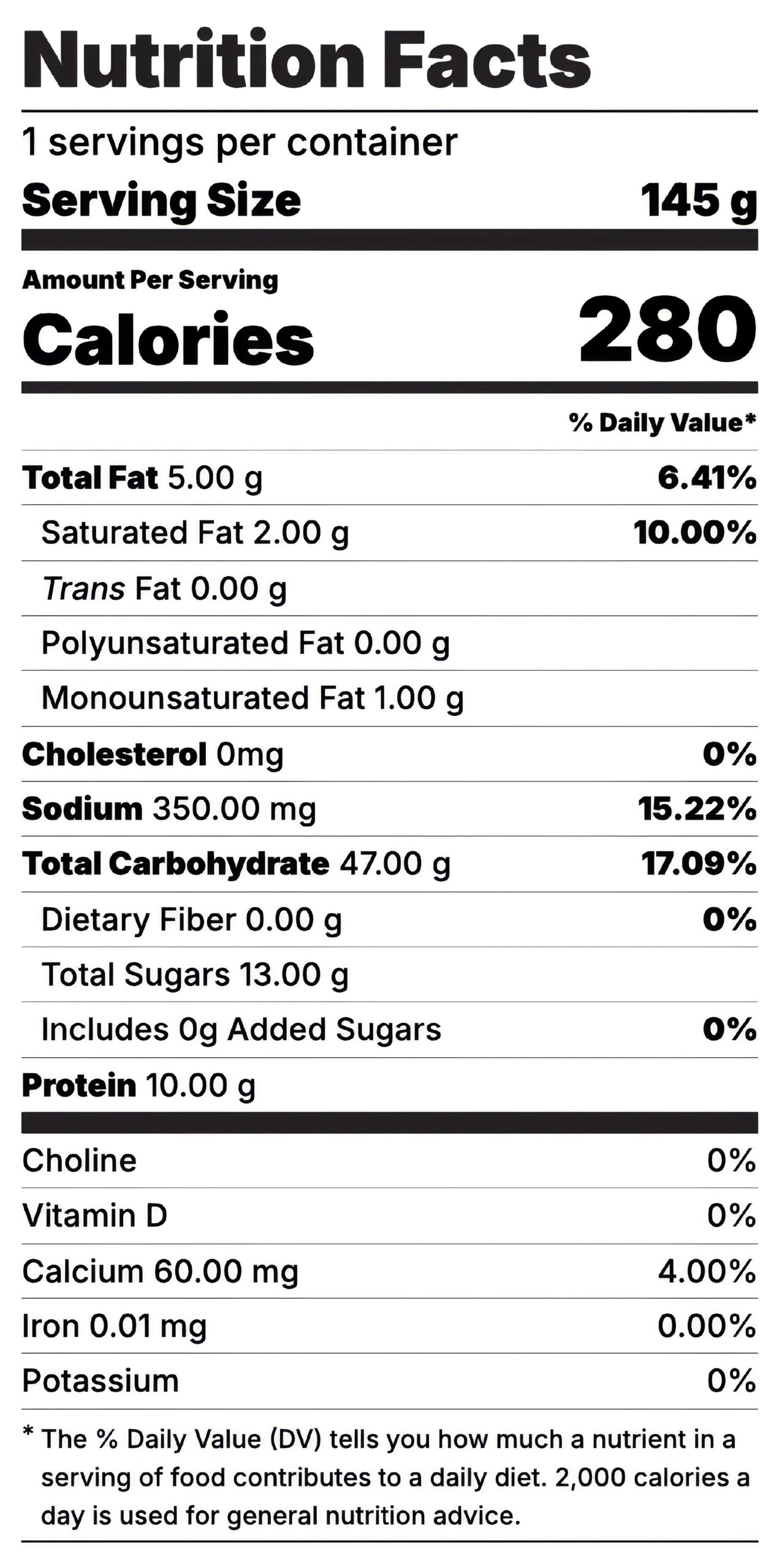
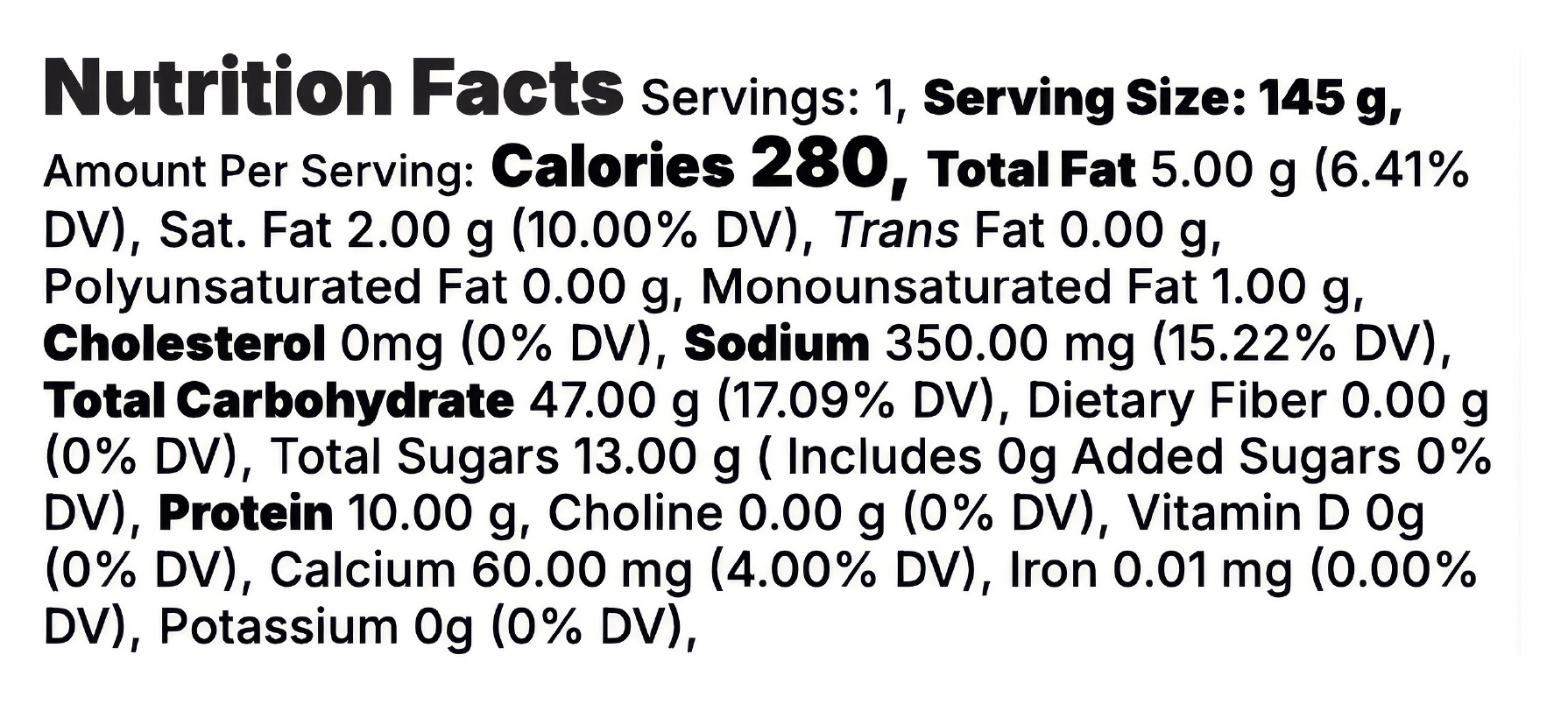
The boxed Nutrition Facts panel: servings, calories, the full nutrient list with %DV, the four mandatory micronutrients and the footnote.
Required for: Packaged food sold in the United States.
The same Nutrition Facts content as a single run-on block of text.
Required for: Small packages where the boxed panel will not fit.
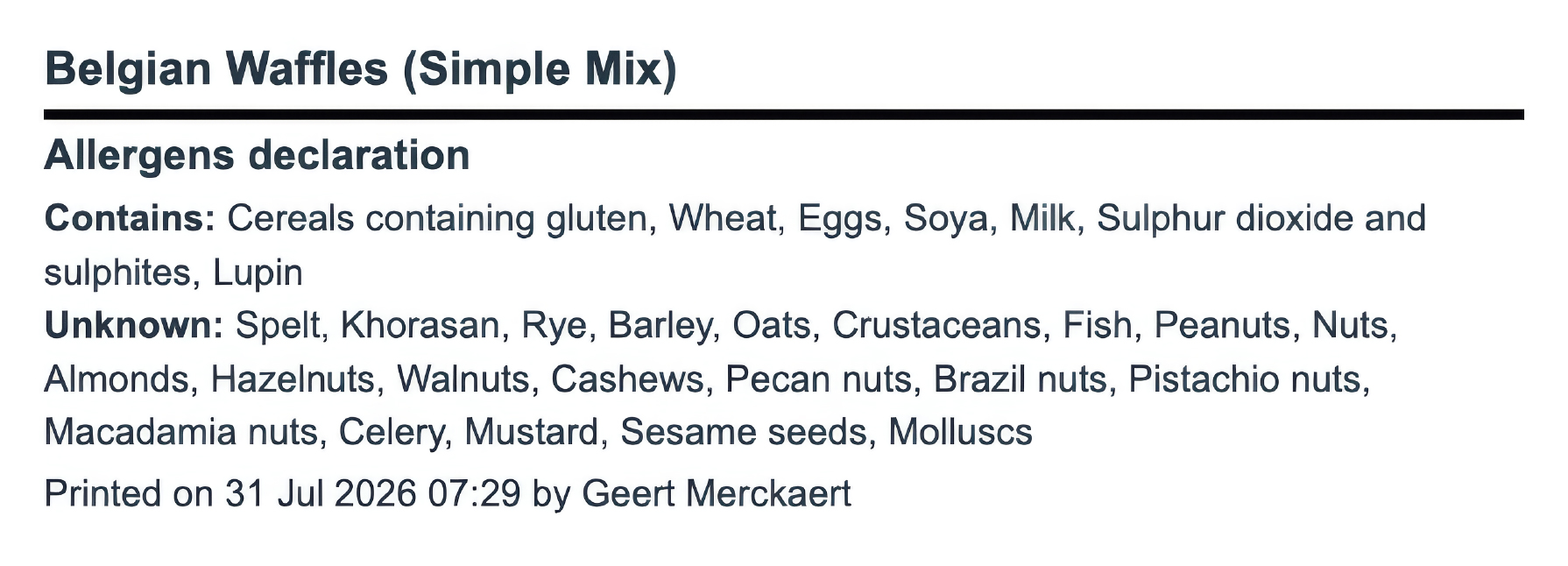
A standalone declaration: Contains, plus May contain for the allergens that cannot be ruled out.
Required for: Counter and buffet service, or alongside a full declaration.
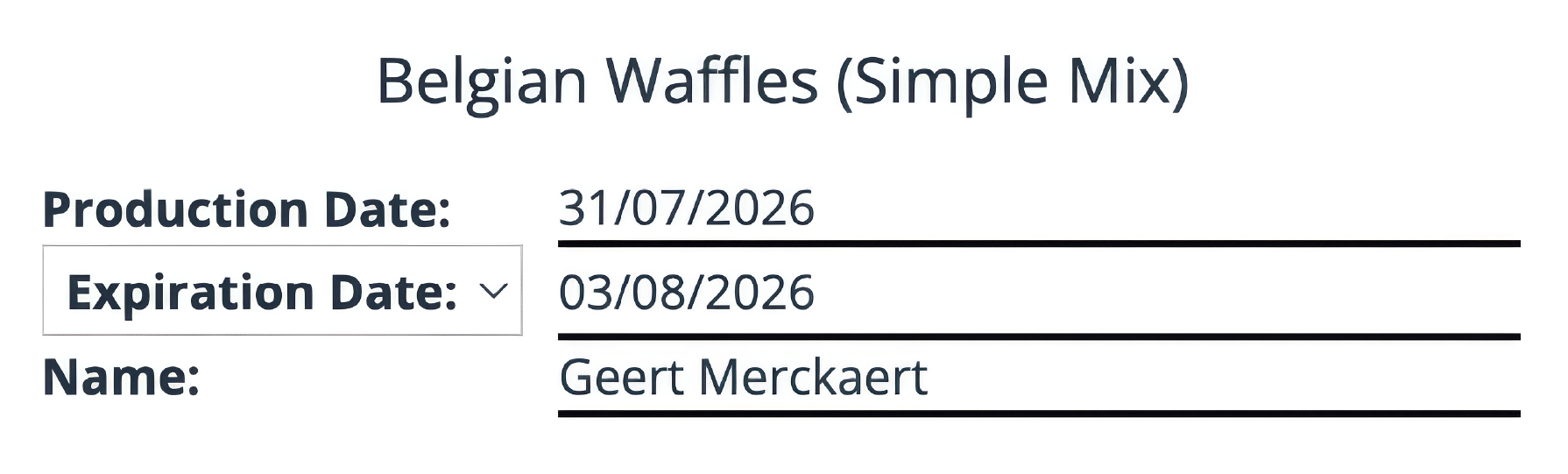
Recipe name, production date, expiry, and who printed it. Fields stay editable at the printer.
Required for: Every batch of prep leaving the kitchen or going into the chiller.
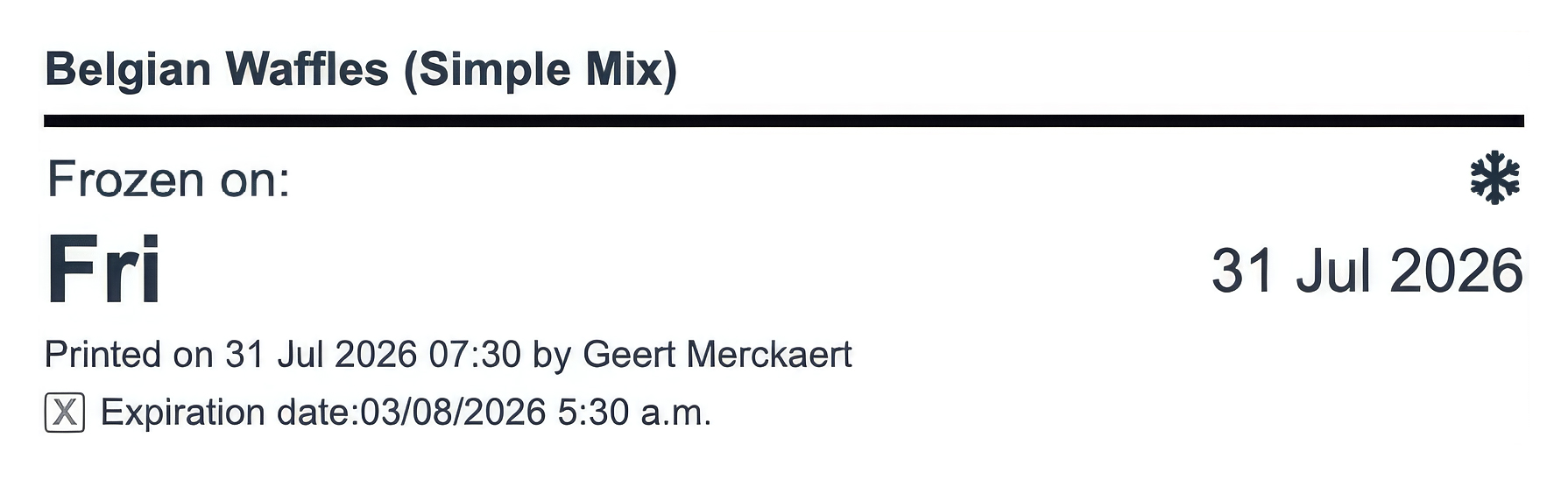
Frozen-on date in large type, with the calculated expiry underneath.
Required for: Anything going into the blast chiller or freezer.
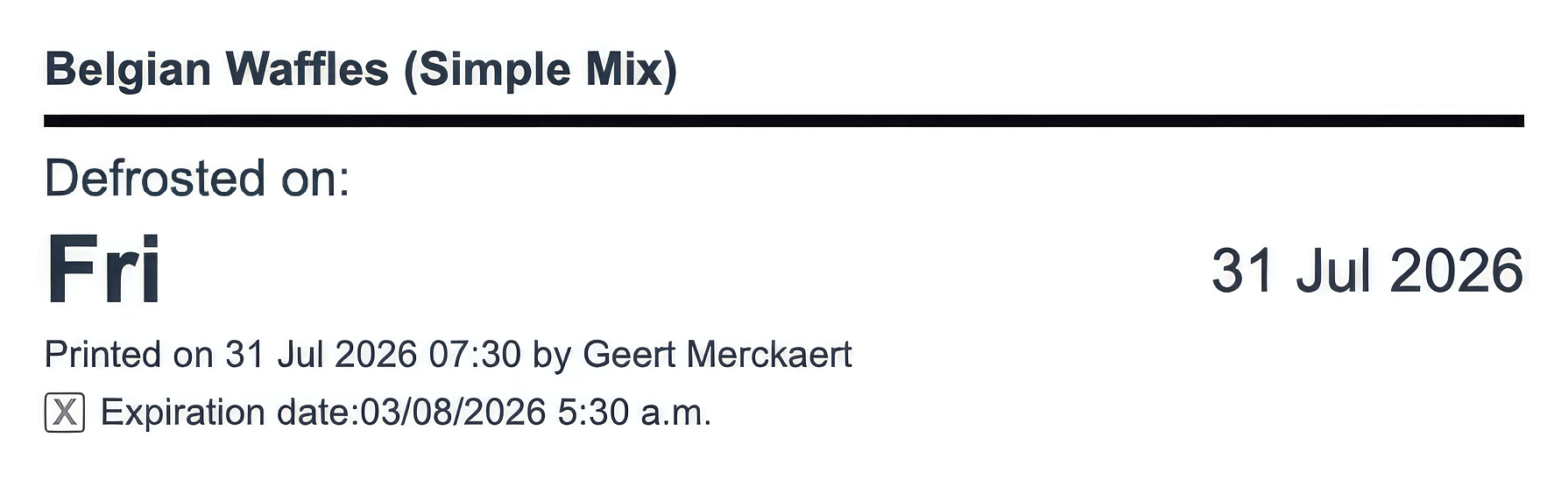
Defrosted-on date, with the shorter chilled shelf life applied to the expiry.
Required for: Product coming out of frozen storage to thaw.
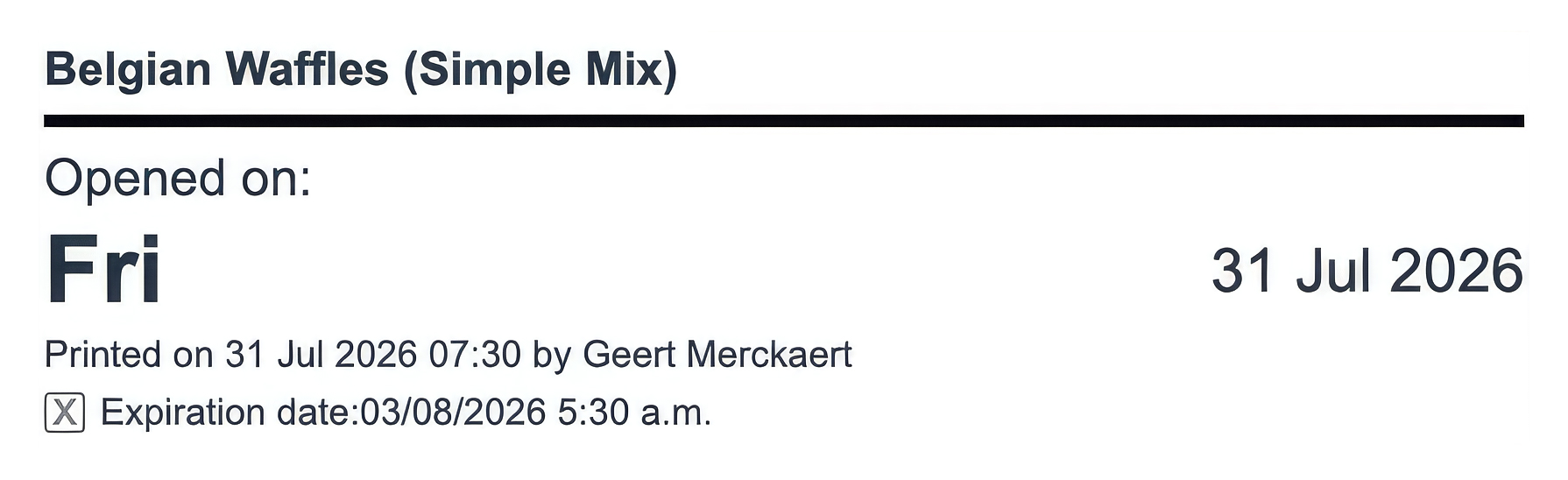
Opened-on date and the resulting use-by, once a supplier pack is unsealed.
Required for: Bulk packs, sauces, dairy, anything with a secondary shelf life.
How it works
Recipes in Apicbase already contain everything your labels need. Nutrition and allergen information is calculated automatically, so there’s nothing to enter by hand. Change an ingredient, and the next label you print is already up to date.
Input
Available in Apicbase
Engine
Ready for every recipe
Output
Pick the label and print.
Multi-region
Every site prints labels in the correct layout, language, and format for its market.
Print EU-compliant labels in the local language, with Nutri-Score where applicable.
Print PPDS allergen labels and UK-compliant consumer labels.
Print FDA-compliant Nutrition Facts labels in Standard or Linear format.
Print allergen declarations to the FSANZ standard.
 © Elysian Residences
When the EHO visited, we printed the allergen report straight from Apicbase. We’ve had three five-star ratings in a row. They love it, especially the allergens.
FAQ
Food labelling software generates the labels a food operation needs, nutrition, ingredient, allergen and date labels, from a central source of product data, instead of designing or typing each one by hand. Apicbase does this from your recipes: because the recipe already holds ingredients, nutrition and allergen information, label content is calculated automatically and stays correct across every site. You print it on your own label printer.
Yes. Both are calculated from the ingredients in each recipe, drawn from an integrated food database, so you don’t key in values. Change a recipe and the label updates with it. The one prerequisite is complete ingredient data, the label is only as accurate as the recipe behind it, which is why allergen management sits on the same platform.
The operational labels a kitchen uses daily, production, freezer, defrost and opened, and the compliance labels needed for prepacked food: an EU declaration label, US Nutrition Facts in standard and linear formats, a dedicated allergen label, and Nutri-Score. All generated from the same recipe data, ready to print on your own printer.
Yes. Production, freezer, defrost and opened labels record when an item was made or changed state and when it expires, supporting FIFO rotation and HACCP record-keeping. These are the highest-frequency labelling task in most kitchens, and they come from the same recipe and shelf-life data as your compliance labels.
Yes. Labels can be generated in multiple languages, which matters for groups operating across countries or serving multilingual teams and customers. The EU and US compliance formats are built in, and the underlying nutrition and allergen data is calculated the same way regardless of market.
Yes, if you already run recipes, inventory or production in Apicbase, labelling comes from the same data, so a separate labelling or allergen tool (and the double entry it creates) can be dropped.
No. Apicbase prints to the standard label printers most kitchens already have, brands like Zebra and Brother, with no expensive printer integration to buy. Labels print straight from the platform to the hardware already sitting in your kitchen.
One thing to know: Apicbase generates the label, not the printer itself. If you’re standardising hardware across sites, we’ll confirm what’s compatible on the call.
Apicbase isn’t a free label maker; it’s a paid platform for multi-site groups that need recipes, inventory, purchasing and labelling in one connected system. Free label generators can suit a single independent kitchen, but they hold no recipe data, so someone still types the allergens and nutrition by hand. Foodservice groups running several sites choose Apicbase because labelling off the recipes they already maintain in the system is much more efficient and less error-prone than maintaining several systems and manually keeping allergen and nutritional data up to date.
Yes. Apicbase is SOC 2 Type 2 and GDPR compliant, with data encrypted in transit and at rest, role-based access control and single sign-on, and each customer’s data isolated in its own tenant.
Under EU Food Information to Consumers rules (Regulation 1169/2011), a prepacked food label must carry the product name, the full ingredient list with the 14 major allergens emphasised, QUID (quantity of certain ingredients), net quantity, a best-before or use-by date, storage and use conditions, the food business’s name and address, and a nutrition declaration (energy plus fat, saturates, carbohydrate, sugars, protein and salt). For operators making prepacked items in a central kitchen, every one of these has to be right on each label, which is why generating them from recipe data beats doing it by hand.
Natasha’s Law is the UK rule, in force since October 2021, that food prepacked for direct sale (PPDS) must show a full ingredient list with the 14 regulated allergens emphasised. PPDS is food packed on the same premises before a customer orders it, grab-and-go sandwiches, salads and cakes made and wrapped on site. It put allergen labelling squarely on foodservice operators, not just manufacturers. You meet it with a full ingredient-and-allergen label generated from the recipe.
An FDA Nutrition Facts label shows serving size and servings per container, calories, and the nutrients that must be declared, total fat, saturated and trans fat, cholesterol, sodium, total carbohydrate, fibre, total and added sugars, and protein, plus vitamin D, calcium, iron and potassium, each with a % Daily Value. Small or narrow packages can use the linear (single-line) format instead of the standard vertical panel. Apicbase generates both formats from the same recipe.
A Nutrition Information Panel is the standardised nutrition table required on most packaged food in Australia and New Zealand under Standard 1.2.8 of the Food Standards Code. It shows values per serving and per 100 g or 100 ml for energy in kilojoules, protein, total fat, saturated fat, carbohydrate, sugars and sodium, along with the serving size and number of servings per package. Allergen declarations follow Plain English Allergen Labelling, which requires specified allergens to be named in plain terms in a bold “Contains” statement.
In the EU and UK, 14 allergens must be declared and emphasised wherever they appear: cereals containing gluten, crustaceans, eggs, fish, peanuts, soya, milk, nuts, celery, mustard, sesame, sulphur dioxide/sulphites, lupin and molluscs. Other markets set their own lists. Because Apicbase reads allergens from each ingredient in the recipe, the declaration builds automatically and updates when a recipe changes, rather than relying on someone remembering to flag every one.
Nutri-Score is a voluntary front-of-pack rating (A to E) used in several European countries to summarise nutritional quality; it isn’t legally required. If you use it, Apicbase calculates it from the recipe and adds it to the EU label you generate, so it stays consistent with the nutrition data on the same pack.
A prep or rotation label is an internal kitchen label, production, freezer, defrost or opened, recording when an item was made or changed state and when it must be used or discarded, to support FIFO and HACCP. A compliance label is the consumer-facing one carrying mandatory nutrition, ingredient and allergen information for prepacked food. Most enterprise operations need both, every day, and Apicbase generates both from the same recipe data for you to print.