


Follow products and costs from delivery to plate.
See stock levels, values and movements across every site.
Get alerted before an item drops below its minimum level.
Compare theoretical and actual food cost to spot margin leaks.
Monitor food waste per site to find where waste happens.
Deduct raw ingredients and log finished batches back into stock.
Reorder suggestions to par or forecasts, one PO per supplier.
Track batches for traceability and recall readiness.
Turn ingredients into purchasing units (e.g. cases and kg).
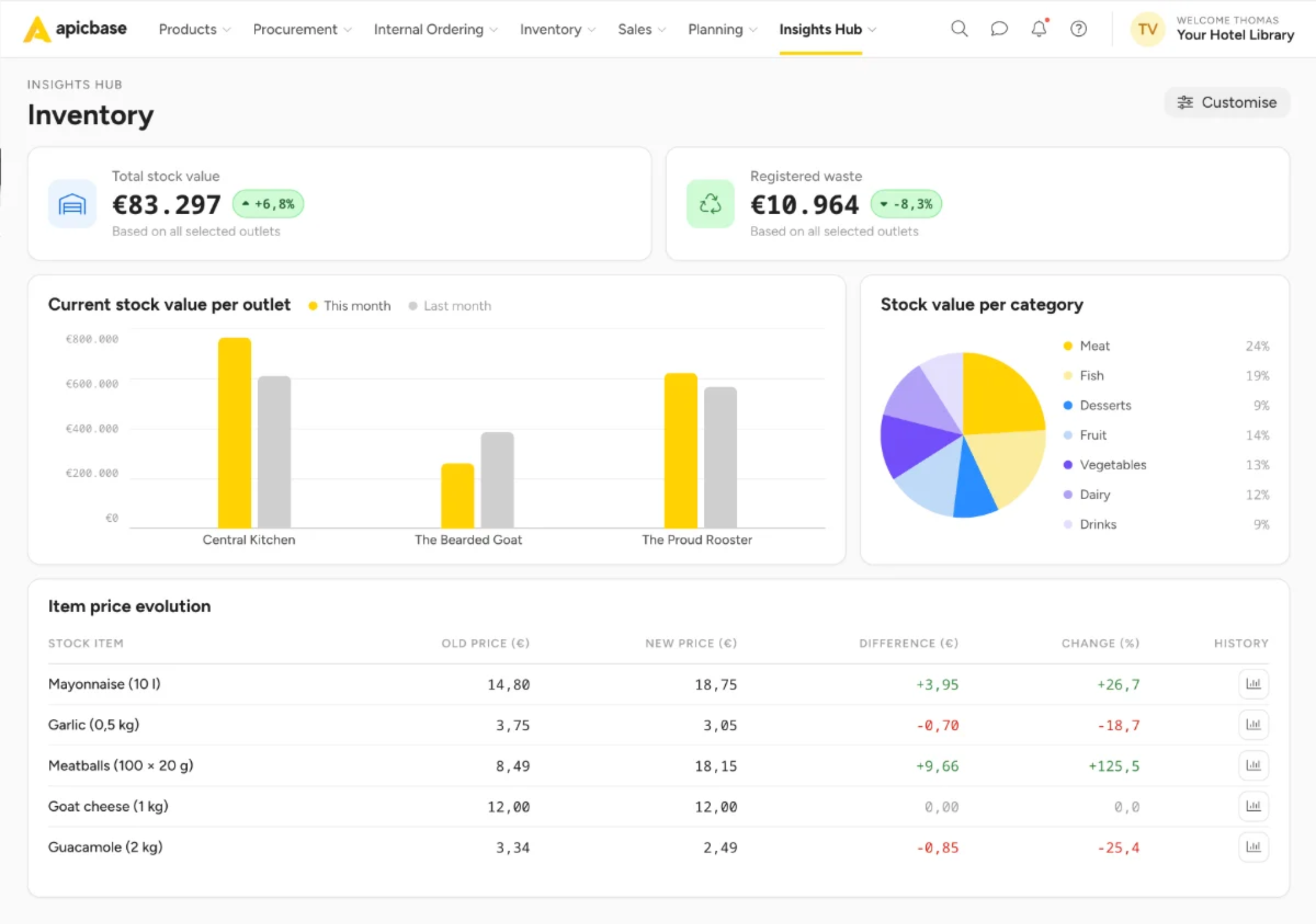
One central system manages inventory, purchasing, recipes, and margins.
Compare actual and theoretical food cost by location, recipe, and menu. Spot margin leaks before they spread.
Prevent spoilage, shrinkage, and over-ordering before they become recurring losses.
Every location orders from approved supplier catalogues at negotiated prices, based on their actual stock levels.
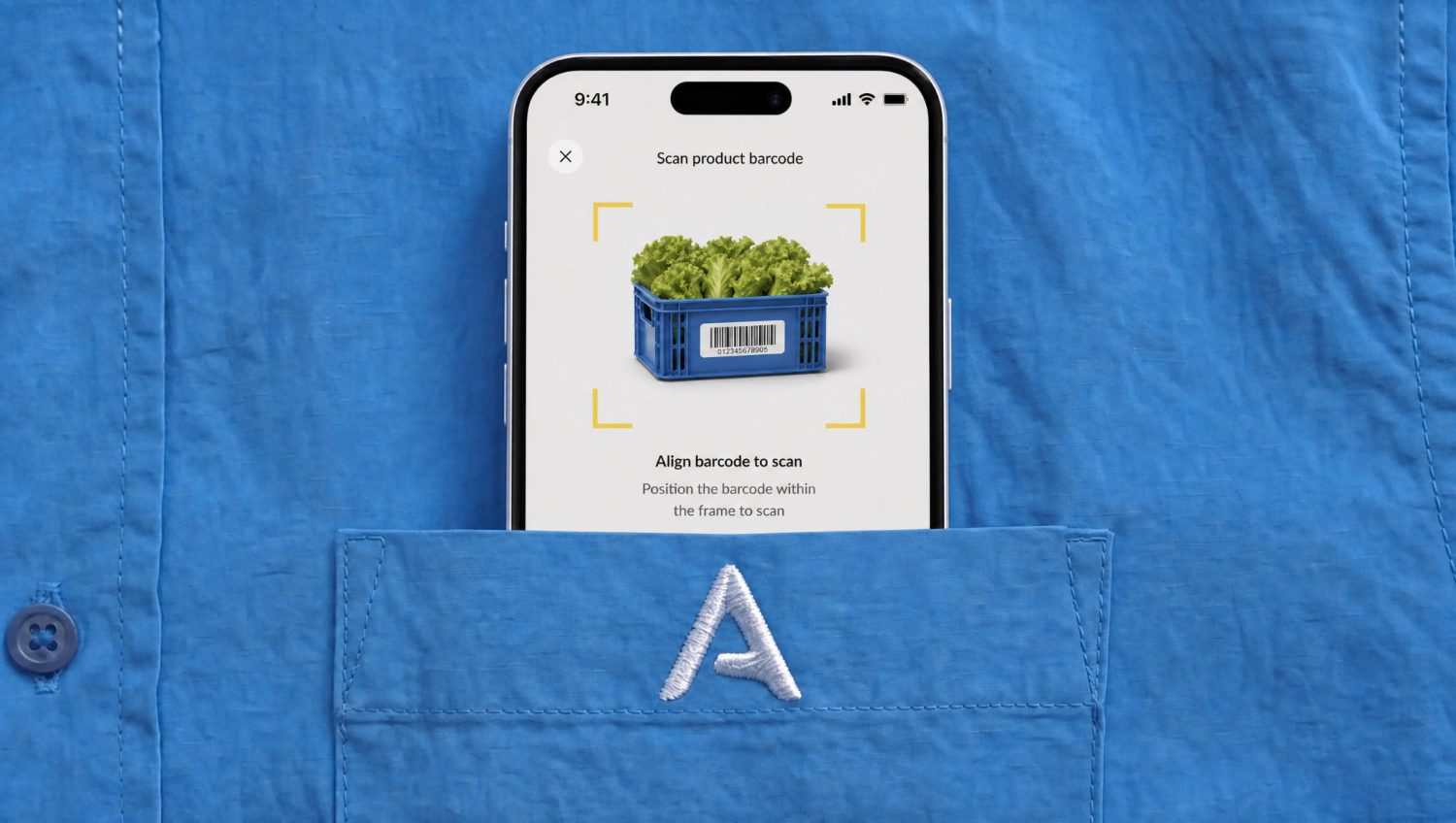
Count stock on your phone or tablet with barcode scanning, voice input, and guided count lists.
Inventory, purchasing, and food costs stay in sync, with one view across every location.
Run every location with the same processes, controls, and standards.
Faster stock takes with mobile, barcode scanning, voice counting and AI assistance.
Counting accuracy, with every item mapped automatically to the right recipe and supplier pack.
Lower stock variance. Find and fix over-portioning, food waste and non-compliant purchasing.
Lower spend on food and beverages. Daily control over prices, purchasing and stock.
Prevent over-ordering, stock outs and outdated inventory numbers.
Every POS transaction automatically depletes inventory, providing a real-time view of stock.
Get reorder suggestions based on current inventory and create purchase orders for each supplier.
Count stock fast and accurately with barcode scanning, voice counting, and count lists on phone or tablet.
Compare actual and theoretical inventory to uncover waste, shrinkage, over-portioning, and data errors.
One source of truth with the tools, insights, and reports every department needs, without duplicate entry, exports, or reconciliation.
Compare actual versus theoretical food costs, verify every invoice, and maintain a complete audit trail.
Keep every location aligned with a shared stock-taking workflow and shared products, names, units and packaging.
Order from approved suppliers using localised catalogues, with every PO, delivery and invoice connected in one system.
Connect securely to your POS, ERP, BI, data lake, and AI tools with SOC 2 Type II, SSO, RBAC and documented APIs.
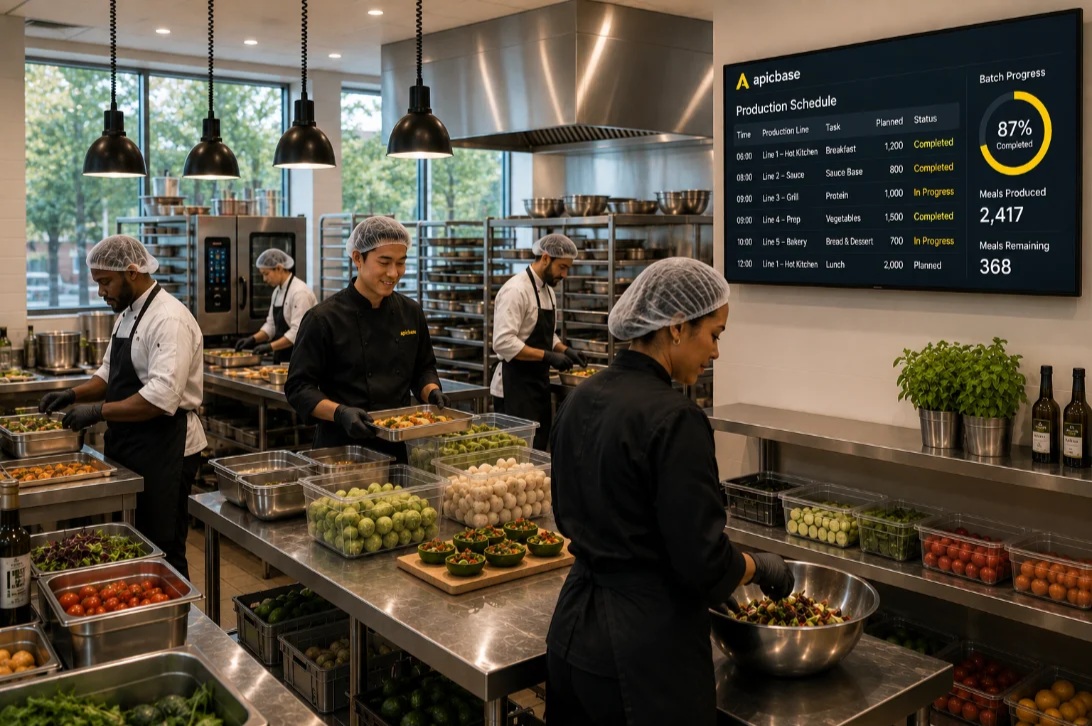
Production, inventory and costs stay in sync.
Outlets order from the central kitchen the same way they order from any supplier.
Outlet orders roll into production runs for the CPU, so it produces exactly what the group needs.
Transfers automatically update stock and costs in the CPU and the outlets.
Before Apicbase, we were just buying, cooking and selling, a stock take once a month and that was it. Now we’re actually monitoring it: I check the dashboard every morning and see straight away what to fix. It’s saved us at least 20%.
“Apicbase calculates the exact amounts we need to order for each outlet. I can’t say how many hours we’ve won, but it’s a lot.”
“There is never any discussion about who ordered what anymore. Everyone has access to the same updated data.”
One flow from sales to purchasing, inventory and finance.

Restaurant inventory management software tracks the food, drinks, and supplies that move through your kitchens, so you know what you have, what it’s worth, and where you’re losing margin. It answers everyday questions like how much stock each site holds, what needs to be ordered, and where food is going missing. Apicbase is restaurant inventory management software built for multi-site restaurant, hotel, and catering groups. Teams count stock on a phone, sales from the point-of-sale (POS) system reduce stock automatically between counts, and stock value stays up to date for every site and central kitchen. Our practical guide to restaurant inventory management shows how multi-site operators run it.
You manage restaurant inventory in four steps: set a par level for every item, count stock on a fixed schedule in fixed units, log waste and deliveries as they happen, and compare what you should have used against what is actually left. Count high-value lines like meat, fish, and spirits more often than dry goods. Apicbase runs that cycle for you, with counting done on a phone and usage pulled straight from POS sales. Our guide to restaurant inventory management for multi-site operators walks through each step.
A par level is the smallest quantity of an ingredient a restaurant needs on hand to reach the next delivery without running out or over-ordering. You set it from average usage over a representative period, add a buffer for delivery lead time and busy weeks, then review it each season. Apicbase holds a par and a minimum level for every item in every storage location, warns you when stock drops below par, and adjusts ordering suggestions as usage changes. How to calculate par-level inventory sets out the formula.
It depends on the item. Most multi-site operators run a full count weekly or monthly, and count high-value, fast-moving lines like meat, fish, spirits, and coffee weekly or even daily. Consistency does more for accuracy than frequency: count the same items, in the same units, on the same day, so each count compares cleanly with the last. Apicbase lets several people count one site at the same time, so a full stocktake doesn’t sit with one person. There are five ways to run the count in Apicbase.
It depends on the concept, but most restaurants aim for a food cost between 28% and 35% of food sales, with fine dining sitting higher and quick service lower. You work it out by dividing the cost of ingredients used by food sales, then multiplying by 100. UK operators often track gross profit, or GP%, which looks at the same numbers from the other side. Apicbase calculates food cost from your recipes and your stock counts, so the figure is checked against what’s physically on the shelf. Apicbase customers with fully-costed menus run food cost at around 25% (Apicbase platform data, June 2026). How to calculate food cost percentage shows the formula with worked examples.
Theoretical food cost is what your dishes should have cost, based on your recipes and what your POS sold. Actual food cost is what they really cost, once you count the stock you have left. The gap between them is your food cost variance, and it comes from waste, over-portioning, spoilage, short deliveries, or theft. Apicbase reports both figures for every site, so you can see which kitchen the variance sits in. Circus Kitchen cut food cost by 18% working this way, and our guide to food cost variance covers how to find the cause.
Yes, up to a point. A spreadsheet works for a single kitchen with a short item list and one person keeping it up to date. It starts to hurt once you run several sites, because stock sheets rely on manual entry, don’t pick up supplier price changes, and drift out of sync between venues, so nobody trusts the group number. Apicbase keeps the same stock structure across every site and checks counts against POS sales automatically. If you want to start on a spreadsheet, our restaurant food inventory template is free to download.
By making waste visible the moment it happens, and putting a price on it. Kitchen teams log spoilage, trim, and over-production on a phone as they throw it away, so head office sees which site, which item, and how much money was lost. Apicbase reports waste next to stock and sales, so a pattern like a buffet that over-produces every Tuesday shows up as a cost you can act on. Our list of 15 ways to reduce food waste in multi-site restaurants has the practical steps.
Look for four things: one stock setup every site follows, POS and supplier connections that need no manual entry, recipe-level costing so a count turns into a food cost figure, and reporting that rolls up from site to group. Apicbase is built for that kind of operation and runs stock, recipes, and purchasing for 400+ brands across 3,000+ locations, from restaurant chains and hotel groups to catering groups and central kitchens. See how the pieces fit on the Apicbase platform page.
Apicbase connects to more than 40 POS and online-ordering systems out of the box, including Lightspeed, Oracle, Square, Clover, NCR Aloha, Mews, unTill, Zettle, and Deliverect, plus 60+ suppliers across Belgium, the Netherlands, Germany, Scandinavia, the UK, and the US. Sales flow in and reduce stock automatically, and one site can run more than one POS at the same time. Supplier catalogues bring their prices with them. The full list of POS and supplier integrations is published online.
Yes. An EPOS (electronic point-of-sale system) tracks what you sold, but it doesn’t cost your recipes, run your supplier orders, or show the gap between the food cost you planned and the one you actually paid. Apicbase connects to the EPOS and adds that back-of-house layer, so recipe costing, purchasing, waste, and variance run across every site on the same data. Most groups keep their EPOS for sales and run Apicbase alongside it. Our guide to the 7 benefits of POS integration sets out how the two work together.
Yes. Fully costed recipes sit at the centre of Apicbase, so every ingredient price flows through to dish-level cost and margin, and each recipe recosts itself when a supplier price changes. Inventory, purchasing, and menu engineering all read that same recipe data, which keeps your food cost accurate as prices move. See Apicbase recipe management for how recipes are built and kept up to date across sites.
Yes, the full purchasing cycle. Apicbase suggests what to reorder from current stock, par levels, or forecast demand, raises one purchase order per supplier from approved catalogues at agreed prices, records receiving against that order, then matches order, delivery, and invoice, so you only pay for what you actually got. Invoice scanning reads supplier invoices automatically and flags price and quantity differences before they reach finance. The procurement module covers the whole flow.
Yes. Apicbase builds order proposals from par levels, from the recipes and menus you’ve planned, or from forecast demand, and you choose which method fits each supplier or site. The forecast reads your own sales history and current stock, so the quantity moves with the season and with what’s actually selling instead of sitting on a fixed number. Demand forecasting explains how it works.
Yes. Your team counts on any phone or tablet with the Apicbase app. They can scan a barcode, type a quantity, or simply say it out loud, and the app matches what they said to the right stock item. Voice counting runs 70% faster than typing, with 99% accuracy. Waste and deliveries are logged in the same app. Read more about AI across the Apicbase platform.
Yes. Apicbase holds one stock picture across outlets, kitchens, and central production units, with internal orders moving between them. A central kitchen receives orders from its sites, plans and schedules production against them, and depletes its own raw stock as it produces, while each outlet sees what it has received. Groups running a commissary get the same recipe, cost, and stock data at both ends. Food production covers planning and internal supply.
Apicbase shows stock value by site, count variance, waste by site and reason, and how stock levels move over time, in dashboards you can filter by site, region, or brand. Every report exports to Excel or CSV for finance. Because the reports read the same data as your counts, recipes, and POS sales, the numbers match across every team. See the full set of dashboards in Apicbase restaurant analytics software.
Yes. Apicbase is SOC 2 Type 2 certified and GDPR compliant, with data encrypted in transit (TLS 1.2 or higher) and at rest (AES-256). Access is controlled by role, with single sign-on, MFA, and an audit log of every action. Data is backed up daily in encrypted form across multiple regions, with point-in-time recovery to the last five minutes, and independent penetration tests run regularly. Full documentation is on the Apicbase Trust portal, and the hospitality data security page has the summary.