For finance and procurement in multi-site foodservice
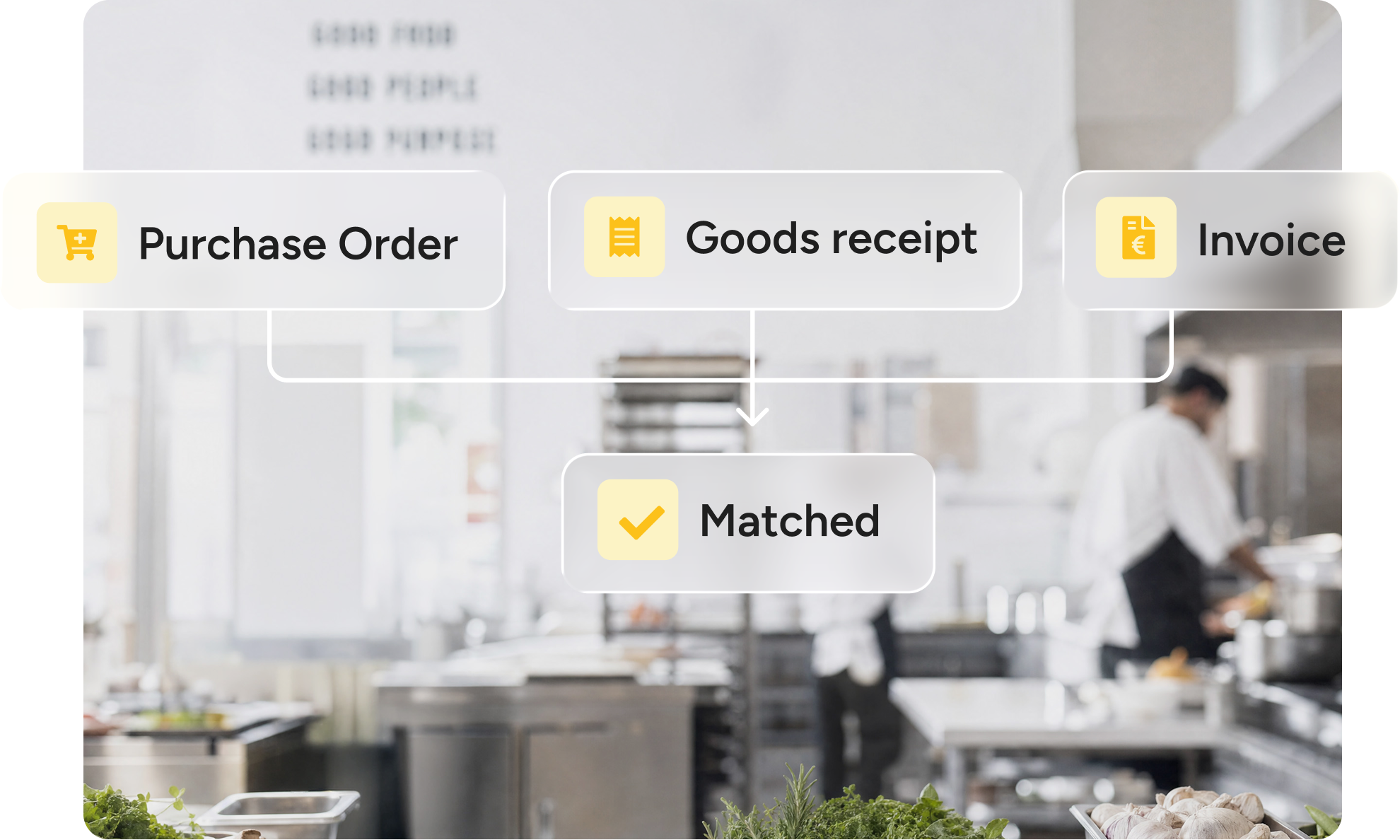
Three-way matching
Prevent fraud, reduce disputes, and keep AP audit-ready by automatically comparing purchase orders, goods receipts, and invoices before payment approval.
Bidfood
Total excl. VAT
€639,58
| Item | Qty | Unit price | Line total |
|---|---|---|---|
| Beef sirloin, chilled | 10,00 kg | €19,90 | €199,00 |
| Butter unsalted, 24 × 454 g | 4,00 cs | €96,60 | €386,40 |
| Milk semi-skimmed, 12 × 1 L | 12,00 L | €1,19 | €14,28 |
| Plum tomatoes, 6 × 2,5 kg | 6,00 tin | €3,65 | €21,90 |
| Wild rocket, 4 × 500 g | 4,00 bag | €4,50 | €18,00 |
Bidfood
Matched to PO-4471 & PO-4483 3 lines need a decision
Invoiced
€639,58
Expected
€509,98
Difference
€129,60
| Item | Ordered | Received | Qty | Unit price | Line total |
|---|---|---|---|---|---|
| Beef sirloin, chilled€18,40 on PO-4471 | 10,00 | 10,00 | 10,00 kg | €19,90 | €199,00Price +8,15% · €15,00 |
| Butter unsalted, 24 × 454 gOne case short at the door | 4,00 | 3,00 | 4,00 cs | €96,60 | €386,40Short delivery · €96,60 |
| Milk semi-skimmed, 12 × 1 L | 12,00 | 12,00 | 12,00 L | €1,19 | €14,28Matched |
| Plum tomatoes, 6 × 2,5 kg | 6,00 | 6,00 | 6,00 tin | €3,65 | €21,90Matched |
| Wild rocket, 4 × 500 gAdded by the supplier, not on the order | — | 4,00 | 4,00 bag | €4,50 | €18,00Not ordered · €18,00 |
What it does
From order to payment approval in a single flow.
Every invoice line is captured automatically, including products, quantities, prices and VAT. Handles scanned PDFs (OCR) and structured UBL/Peppol e-invoices.
Checks every invoice against the purchase order and goods received. Flags only the differences, so you pay for what actually arrived.
Matching invoices are approved automatically and sent to finance. Only price, quantity or VAT differences outside your tolerances are routed for review.
Calculates exactly what your supplier owes for returned, missing or rejected goods, so every credit request is ready to send.
Prevents duplicate invoices and validates VAT on every line. Every match, approval and change is recorded for a complete audit trail.
Send reconciled invoices directly to your ERP or finance system via CSV, Excel, PDF or API, without retyping any data.
Why Apicbase
Who it’s for
Finance, operations, and procurement work on a single reconciled set of purchasing and invoice data that’s always up to date and in sync.
Every invoice verified before payment, a complete audit trail, and clean data handed to your finance system.
Spot price changes and overcharges as they happen, and see their impact on margins instantly.
Match invoices against the purchase orders and deliveries. Discrepancies go to the right person for approval.
SOC 2 Type II, SSO, RBAC, and open APIs and MCP make it easy to integrate with your ERP and finance systems.

Apicbase allows us to catch small errors before they spiral out of control.
If a supplier quietly puts a price up, we see it straight away. I pull the report once a month and check every site against the same basket. It keeps everyone aligned.
FAQ
Three-way matching is an accounts-payable control that checks a supplier invoice against two other documents before it’s paid: the purchase order (what you ordered) and the goods received note (what actually arrived). Only when all three agree on items, quantities and prices is the invoice cleared for payment — so you never pay for goods you didn’t order or didn’t receive. Apicbase performs three-way matching automatically, line by line, against the purchase orders and deliveries already in your restaurant purchasing process.
Two-way matching compares the invoice to the purchase order only. Three-way matching adds the goods received note, so quantities and prices are verified against what was actually delivered — catching the short deliveries and substitutions a two-way match misses. Apicbase runs three-way matching by default, because in multi-site foodservice purchasing what arrives rarely matches the order exactly.
Invoice matching software automatically compares each supplier invoice against the related purchase order and delivery record, flags any difference in price, quantity or tax, and routes only the exceptions for review — replacing the manual job of keying invoices and checking them against orders by hand. Apicbase is invoice matching software built for multi-site foodservice: it reads every invoice line — product, quantity, price and VAT — and matches it against what you ordered and received.
A goods received note (GRN) is the record of what a supplier actually delivered — the items, quantities and condition signed for at the door. It’s the third document in three-way matching, and the reason a short or over-delivery is caught before an invoice is paid. Apicbase captures the GRN when a delivery is booked in, on web or mobile.
Apicbase reads every line of an incoming invoice with AI — product, quantity, price and VAT — then finds the matching purchase order and delivery and compares them. It takes PDFs, scans and Peppol/UBL e-invoices in the same pipeline. Fully matched lines are approved automatically; only differences outside your tolerances are flagged for review.
Yes. Apicbase checks every invoice line against the price you agreed and the last price paid, so a quiet increase is flagged the moment it appears — before approval. And because prices sit alongside your recipes, Apicbase shows how a rise affects dish margin, not just the invoice total — which is how invoice matching becomes part of controlling food cost, not just AP.
Yes. Apicbase matches line by line, so a partial delivery, a split order, or a single invoice covering several purchase orders all reconcile correctly — each line matched to the order and delivery it belongs to.
It still matches. Apicbase works out the right purchase order from the supplier, the line items and the delivery date, so a missing or wrong PO number doesn’t stop the match or force a manual search.
You set tolerances for price, quantity and tax. Apicbase approves invoices that fully match automatically and passes them to finance; anything outside tolerance is flagged and routed to the right approver with the purchase order and delivery attached, so it’s resolved with full context in one place.
You can still book the goods in. Apicbase lets you accept and park a delivery that arrives before its PO exists, then create the PO afterwards — a “has PO / no PO” filter shows what still needs resolving. Goods receipt is never blocked at the door.
Yes. Apicbase reads structured e-invoices (UBL/Peppol) and scanned or PDF invoices in the same pipeline, both with per-line VAT — so there’s no separate process for suppliers who send e-invoices.
You stay in control. Apicbase runs a second AI pass over the first read, and on the digital invoice you can add or remove lines, edit totals and undo any field with live totals — so a misread is corrected in seconds, not disputed after payment.
Yes. Apicbase detects duplicate invoices, validates VAT on every line, and flags overcharges and unordered items before approval — with every action logged, so inflated or double payments are caught rather than discovered later.
No. Apicbase checks, matches and approves invoices for payment, but the payment itself stays in your finance or banking system. Apicbase controls what you’re billed, not how you pay it.
Invoice matching is the final step of one connected cycle in Apicbase: purchasing to par and to your recipes, receiving goods against the order, then matching the invoice to both. Because Apicbase shares that data with inventory management and recipes, a matched price flows straight into stock value and dish margin — and the reconciled invoice then exports to your accounting system.
Finance and AP teams use Apicbase to verify and approve invoices; procurement uses it to hold suppliers to agreed prices; operations sees the margin impact of price changes. Apicbase is built for multi-site groups where the same process has to run across many locations and legal entities.
Yes. Apicbase is SOC 2 Type II compliant, with SSO, role-based access control and a full audit trail on every invoice, match and approval.