


Follow products and costs from delivery to plate.
See stock levels, values and movements across every site.
Get alerted before an item drops below its minimum level.
Compare theoretical and actual food cost to spot margin leaks.
Monitor food waste per site to find where waste happens.
Deduct raw ingredients and log finished batches back into stock.
Reorder suggestions to par or forecasts, one PO per supplier.
Track batches for traceability and recall readiness.
Turn ingredients into purchasing units (e.g. cases and kg).
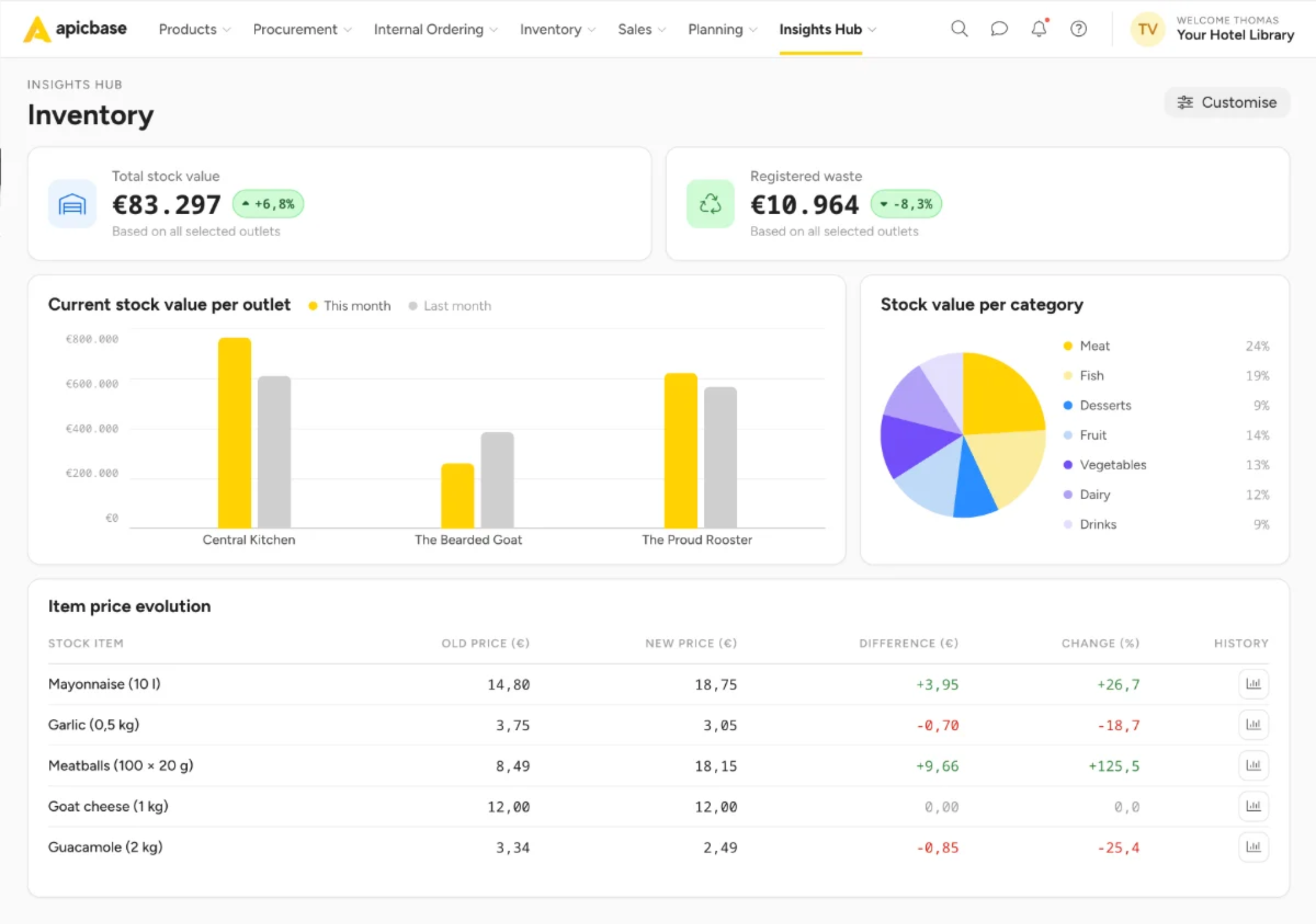
One central system manages inventory, purchasing, recipes, and margins.
Compare actual and theoretical food cost by location, recipe, and menu. Spot margin leaks before they spread.
Prevent spoilage, shrinkage, and over-ordering before they become recurring losses.
Every location orders from approved supplier catalogues at negotiated prices, based on their actual stock levels.
Count stock on your phone or tablet with barcode scanning, voice input, and guided count lists.
Inventory, purchasing, and food costs stay in sync, with one view across every location.
Run every location with the same processes, controls, and standards.
Faster stock takes with mobile, barcode scanning, voice counting and AI assistance.
Counting accuracy, with every item mapped automatically to the right recipe and supplier pack.
Lower stock variance. Find and fix over-portioning, food waste and non-compliant purchasing.
Lower spend on food and beverages. Daily control over prices, purchasing and stock.
Prevent over-ordering, stock outs and outdated inventory numbers.
Every POS transaction automatically depletes inventory, providing a real-time view of stock.
Get reorder suggestions based on current inventory and create purchase orders for each supplier.
Count stock fast and accurately with barcode scanning, voice counting, and count lists on phone or tablet.
Compare actual and theoretical inventory to uncover waste, shrinkage, over-portioning, and data errors.
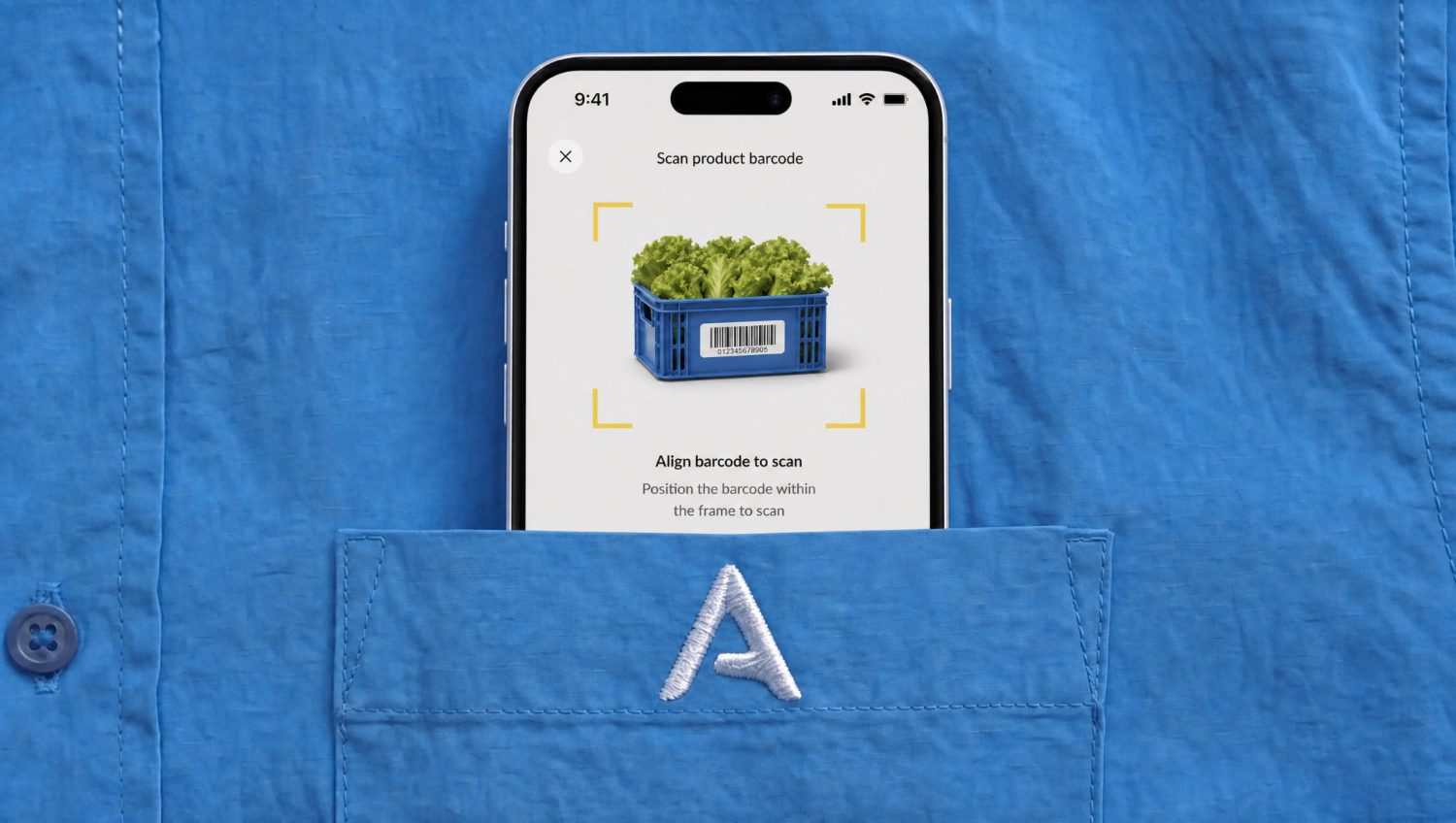
One source of truth with the tools, insights, and reports every department needs, without duplicate entry, exports, or reconciliation.
Compare actual versus theoretical food costs, verify every invoice, and maintain a complete audit trail.
Keep every location aligned with a shared stock-taking workflow and shared products, names, units and packaging.
Order from approved suppliers using localised catalogues, with every PO, delivery and invoice connected in one system.
Connect securely to your POS, ERP, BI, data lake, and AI tools with SOC 2 Type II, SSO, RBAC and documented APIs.
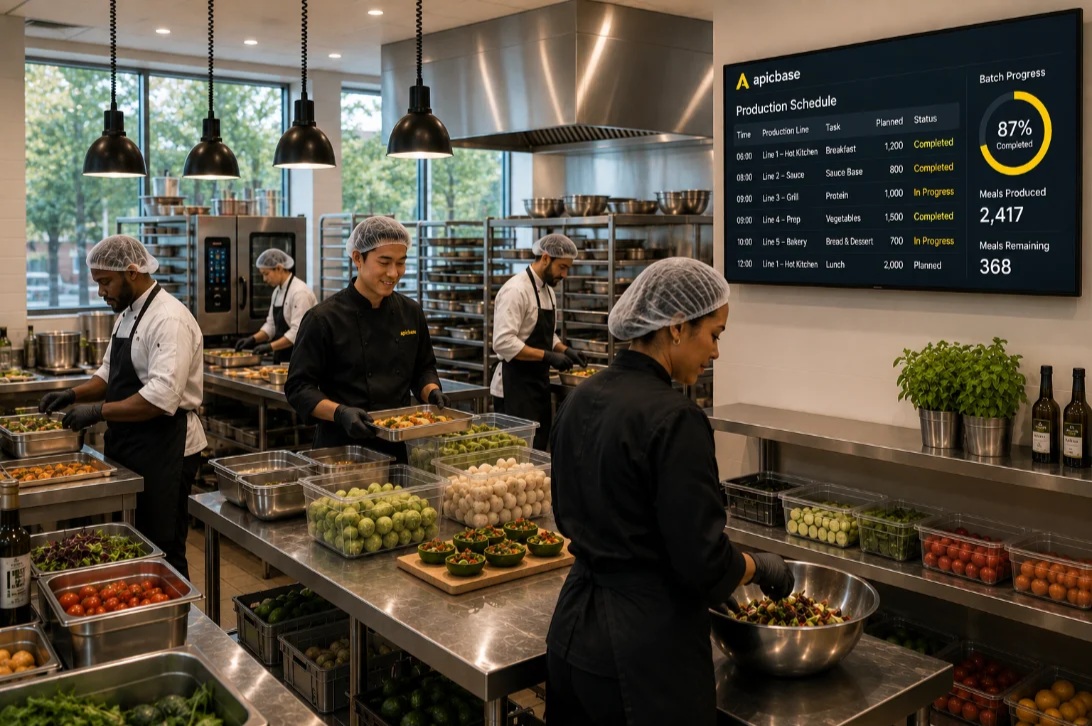
Production, inventory and costs stay in sync.
Outlets order from the central kitchen the same way they order from any supplier.
Outlet orders roll into production runs for the CPU, so it produces exactly what the group needs.
Transfers automatically update stock and costs in the CPU and the outlets.
Before Apicbase, we were just buying, cooking and selling, a stock take once a month and that was it. Now we’re actually monitoring it: I check the dashboard every morning and see straight away what to fix. It’s saved us at least 20%.
“Apicbase calculates the exact amounts we need to order for each outlet. I can’t say how many hours we’ve won, but it’s a lot.”
“There is never any discussion about who ordered what anymore. Everyone has access to the same updated data.”
One flow from sales to purchasing, inventory and finance.

Managing restaurant inventory, also called stock control, means counting stock on a set schedule, recording what you use and waste, and comparing what you should have used against what’s actually still in stock. Best practices for restaurant inventory management include setting a par level for each item, counting consistently in the same units at the same time, counting high-value lines like meat, fish and spirits more often, and reconciling against your POS sales. A single site can run this on a spreadsheet, but most multi-site groups move to software, like Apicbase, once manual counting and reconciliation stop scaling.
A par level is the minimum quantity of an ingredient a restaurant needs on hand to last until the next delivery without running out or over-ordering. You set it from average usage over a representative period, add a buffer for delivery lead time and demand swings, and review it each season. Apicbase can set and adjust par levels automatically from live usage and forecast demand, so ordering suggestions stay right-sized as sales move.
Most restaurants aim for a food cost between 28% and 35% of food revenue, though the right target depends on the concept, with fine dining running higher and quick service lower. You calculate it as the cost of ingredients used divided by food sales, multiplied by 100. UK operators often track the inverse, gross profit (GP%), but it measures the same thing. Food costing software, like Apicbase, automates the calculation for you. What matters most is checking the number against actual stock counts rather than recipes alone, because that gap is where margin quietly leaks.
Theoretical food cost is what your dishes should cost based on your recipes and what you sold; actual food cost is what they really cost once you count physical stock. The difference between the two is your stock variance, and it usually comes from waste, over-portioning, spoilage or theft. Tracking both is how you find where margin leaks, and it’s how Apicbase customers such as Circus have cut food cost by 18%.
A spreadsheet is fine for a single site, but it starts to break down once you run several locations or want stock to reconcile against sales on its own. Stock sheets rely on manual entry, hold no live supplier prices, and drift out of sync between venues. Restaurant inventory software, like Apicbase, connects your POS and suppliers so counts, costs and orders stay aligned without re-keying. It gives operators more control.
Yes. Fully costed recipes are the foundation of Apicbase, so every ingredient price flows into dish-level cost and margin, and recosts automatically when a supplier price changes. Inventory, purchasing and menu engineering all build on that same recipe data, which keeps your food cost accurate as prices move.
Yes. Apicbase is built for multi-site restaurant, hotel and catering groups, and runs the same stock, recipes and purchasing setup across every outlet, including centralised purchasing and central kitchens. It’s used by 400+ brands across 3,000+ locations. It isn’t designed for a single independent site, so the value shows up when you’re standardising several kitchens at once.
Apicbase connects to around 42 POS and EPOS systems out of the box, including Lightspeed, Square, Oracle, Clover, NCR Aloha, Zettle and Deliverect. Sales flow in and deplete stock automatically, with no manual entry.
Yes, Apicbase tracks ingredients and keeps stock updated automatically. POS sales deplete your stock during a nightly sync (unless otherwise agreed), keeping figures stable and reliable for ordering and reporting. You start each day with an accurate, reconciled stock position.
Apicbase isn’t a free app; it’s a paid platform for multi-site groups that need stock, recipes and purchasing in one connected system. Free restaurant inventory apps can suit a single independent kitchen, but they tend to hit limits on multi-location control, POS integration and food-cost accuracy. For a group running several sites, the cost pays for itself through lower food cost and less waste.
Yes, Apicbase runs the full purchasing cycle, not just stock tracking. It suggests reorders from live stock, par levels or forecast demand, raises one purchase order per supplier on agreed catalogues and prices, then records receiving against the PO and matches order, delivery and invoice. Invoice scanning and accounts-payable checks catch pricing and payment errors before they reach your finance system.
An EPOS tracks what you sell, but it doesn’t cost your recipes, manage supplier orders, or show the gap between theoretical and actual food cost. Dedicated stock software like Apicbase connects to your EPOS and adds the back-of-house layer a till isn’t built for: recipe costing, purchasing and variance control across every site. Most groups keep their EPOS for sales and add advanced systems like Apicbase for stock and food cost.
Yes. Apicbase uses AI to forecast what you need to order based on your sales history, current stock levels, and supplier lead times. This helps you order the right quantities, reduce overbuying, and cut food waste. AI also powers voice-based stock counting, enriches your data automatically, and lets you ask questions about your business in plain language. The AI assistant answers using your live data in Apicbase, so you get relevant, up-to-date insights.
Yes. Apicbase is SOC 2 Type 2 and GDPR compliant, with data encrypted in transit and at rest, role-based access control with audit logging, and single sign-on (SSO). Each customer’s data is logically isolated in its own tenant, and the platform runs on AWS with continuous monitoring, backups and disaster recovery. For enterprise groups, security is treated as a design principle rather than an add-on, and buyers can review the full documentation on the Apicbase Trust portal.
Yes. Apicbase handles stock across kitchens, commissaries and outlets, including internal orders and production, so a central kitchen can supply sites on one connected inventory.
Yes. With the Apicbase app you can count stock on any phone or tablet with barcode scanning, and voice counting, so a full site can be counted in a fraction of the time it takes on paper.