
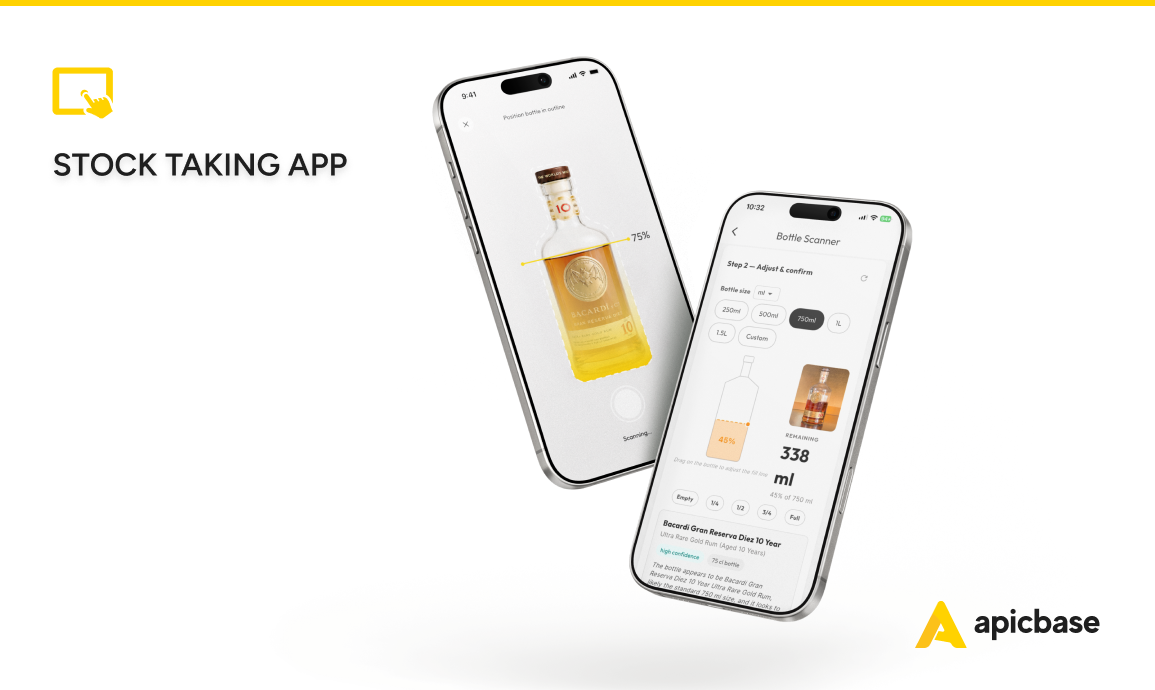
Apicbase’s stock-taking app for multi-site restaurants gives your team five ways to count stock. Counts take a fraction of the time, and the numbers land in the central system the moment your chefs save them.
That’s the difference between counting in an app and counting with pen and paper. With a clipboard or a spreadsheet, the data arrives late and is often incomplete. Every site ends up counting slightly differently, which makes the totals hard to trust.
In Apicbase, everyone counts the same way. The result is visible across the business straight away.
The five methods are: list count, barcode scanning, voice count, photo count, and bottle scanner. In this article, we cover each stock-taking method: what it does and when to use it.
The app is part of Apicbase’s restaurant inventory management software. It centralises the full reordering cycle in a single platform. Beyond stock-taking, it automates stock depletion through POS connections, predicts purchasing needs, and matches purchase orders, deliveries, and invoices.
4 + 1 ways to count stock in Apicbase
Most stocktaking software gives you one or two ways to count, usually a manual list and a barcode scan. Apicbase gives you five because the fastest method for a shelf of packaged goods is not always the fastest method for a back bar full of spirits.
The video shows 4 stock-taking methods with AI. The table below also includes a digital list count.
Here are the five methods and how to use them.
| Method | Best for | Limits |
|---|---|---|
| List count | Any area. It’s the dependable baseline | Manual entry is slower for full counts but faster than Excel. |
| Barcode scanning | Packaged goods with a supplier barcode | Bulk items and semi-finished products need a QR code. Apicbase generates these. |
| Voice count | Hands-free counting while walking through a storeroom. Also works in noisy areas. | Requires wifi or 5G. |
| Photo count | Take a photo of printed or handwritten sheets. | Writing the numbers down is slower than other stock-take methods in the app. |
| Bottle scanner | High-value back-bar bottles | Dark bottles and odd formats might need manual adjustment. |
Five counting methods, one database behind them. Use whichever suits the moment.
1. List count
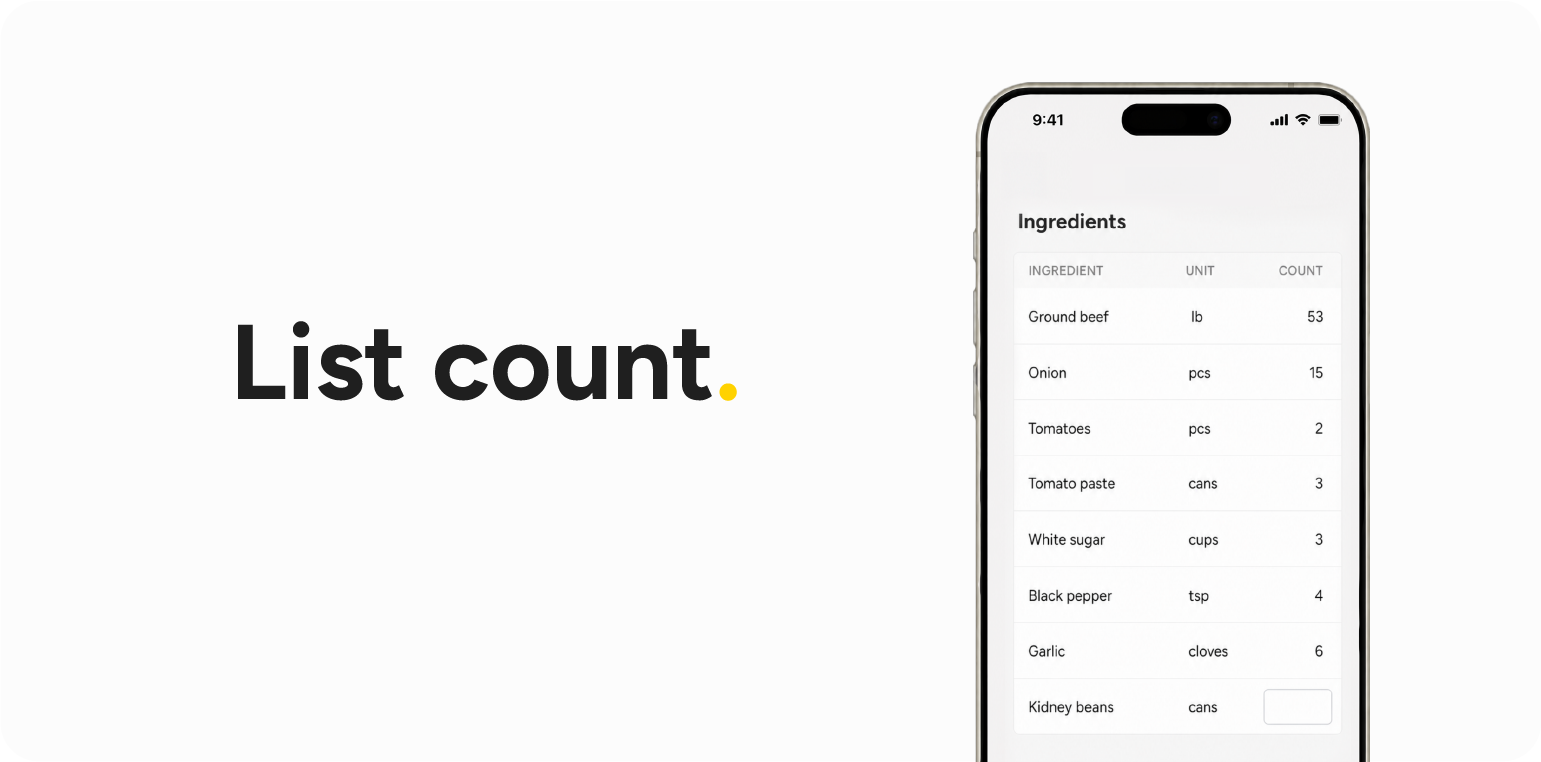
List counting is the simplest method. Open the app on a phone or tablet, load the count list for the area you are counting — say, the dry goods storeroom — enter the quantities, and save.
There is no setup. Each location sees only the products it carries, reducing the risk of counting the wrong items. The data is available immediately.
2. Barcode scanning
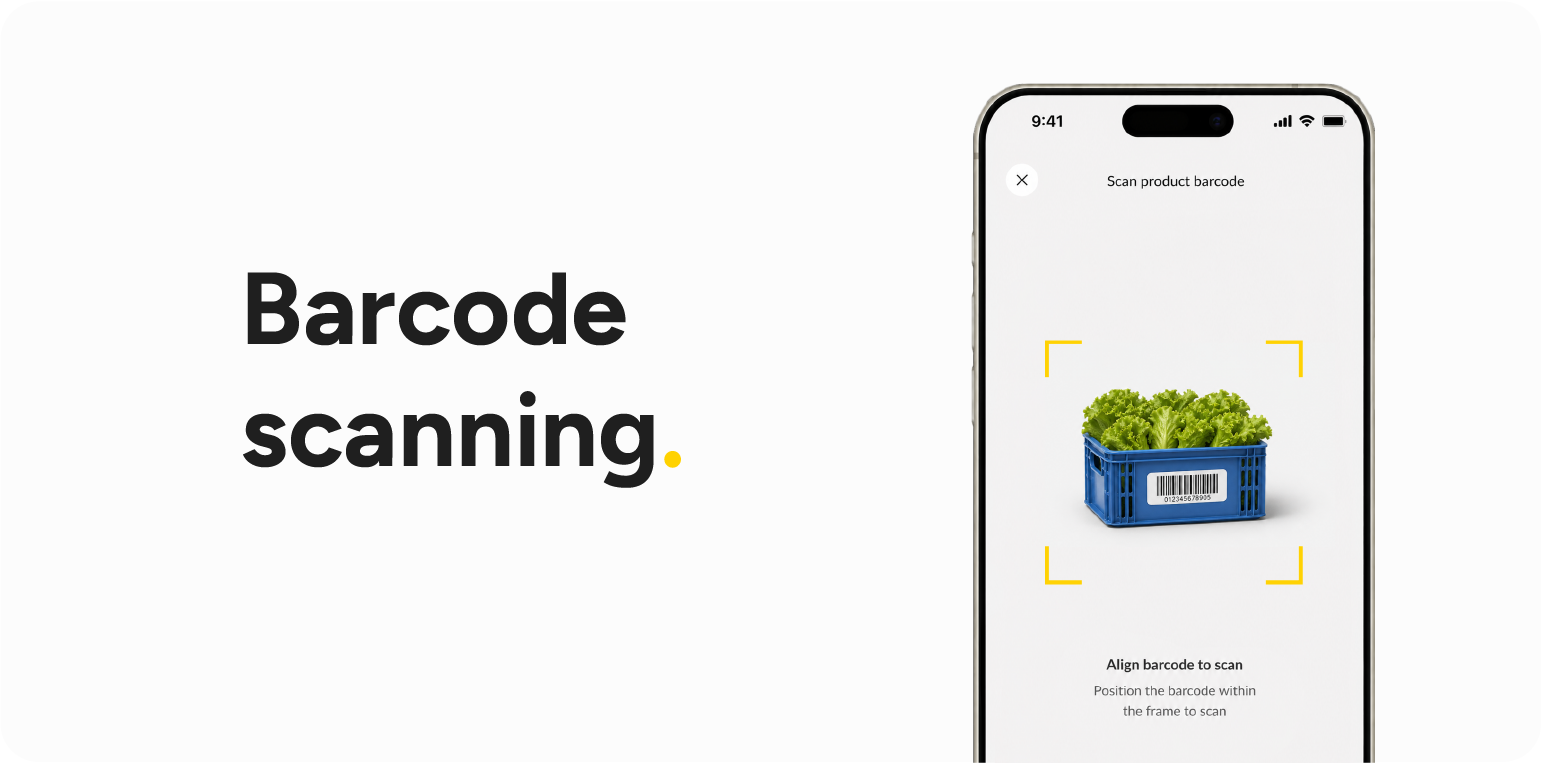
Barcode scanning is the fastest way to count packaged goods. Scan the supplier barcode, and Apicbase matches it to the right item in your database.
For bulk goods or items without a supplier barcode, create a QR code in Apicbase and link it to the item once. After that, staff can scan it like any other barcode using a phone or tablet.
Because the scanner is connected to your recipes and inventory, every scan matches an exact item Apicbase already knows you stock.
3. Voice count
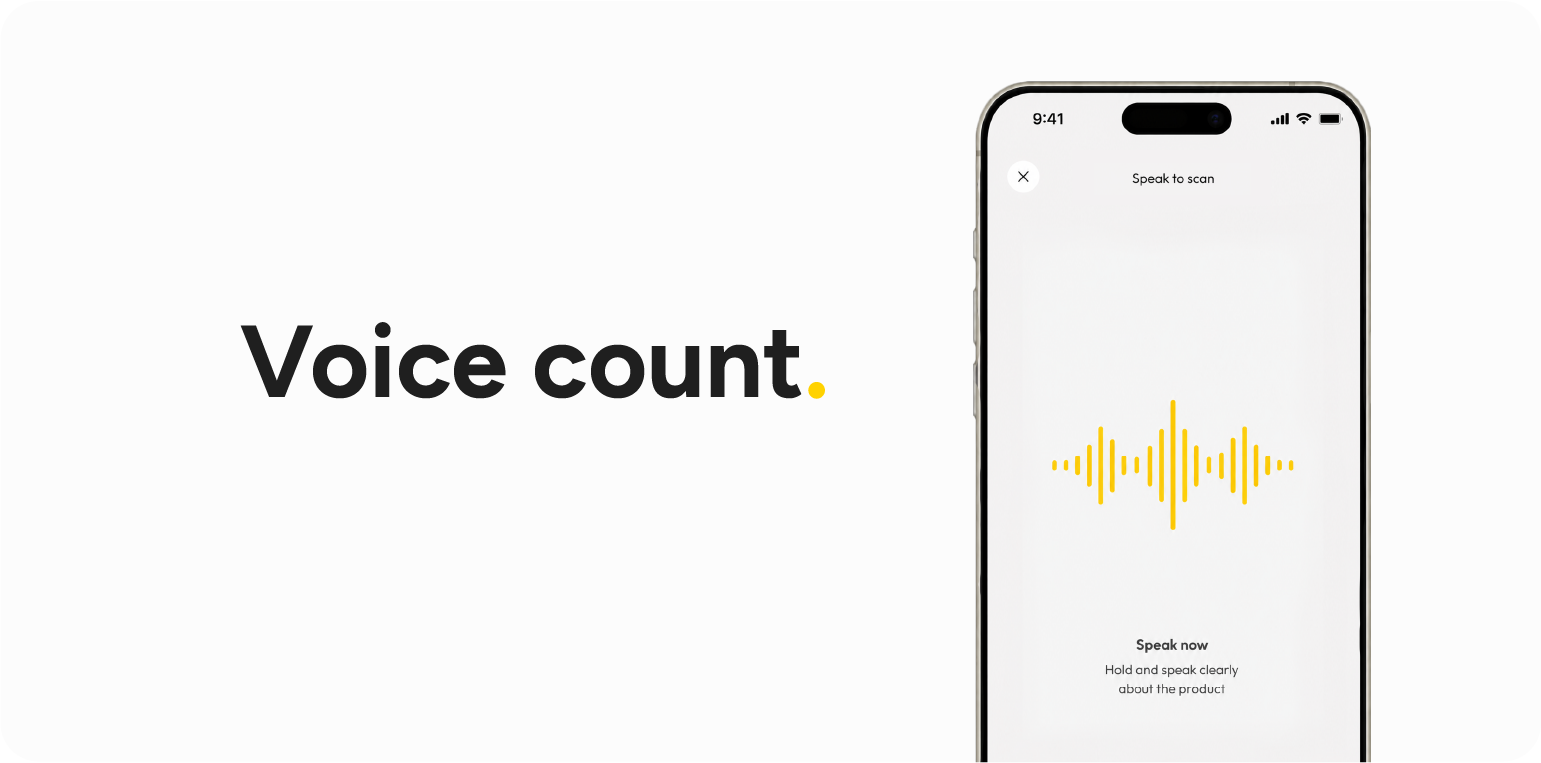
Voice count lets you speak what you see and keep your hands free. You don’t need the exact article name; say “banana”, and the AI finds the right item in your database. Select your counting language before you start, and international teams can count in their preferred language.
Voice counting also works in noisy environments. It helps to be specific: if you stock 50 types of salt, say which one you mean. This gives staff fewer decisions to make while counting, reducing mistakes.
4. Photo count

Chefs love pen and paper. Photo counting lets them keep using it. Take a photo of a printed or handwritten count sheet, and the app reads the item and quantity from each line. You do not need a special template. The name and number just need to be close together on the same line.
For the best results, print a product list from Apicbase and write the quantities next to each item. This gives the AI exact names to match. It helps to be specific. Filter the list to the area you are counting — say, the walk-in fridge and Apicbase takes care of the rest.
5. Bottle scanner
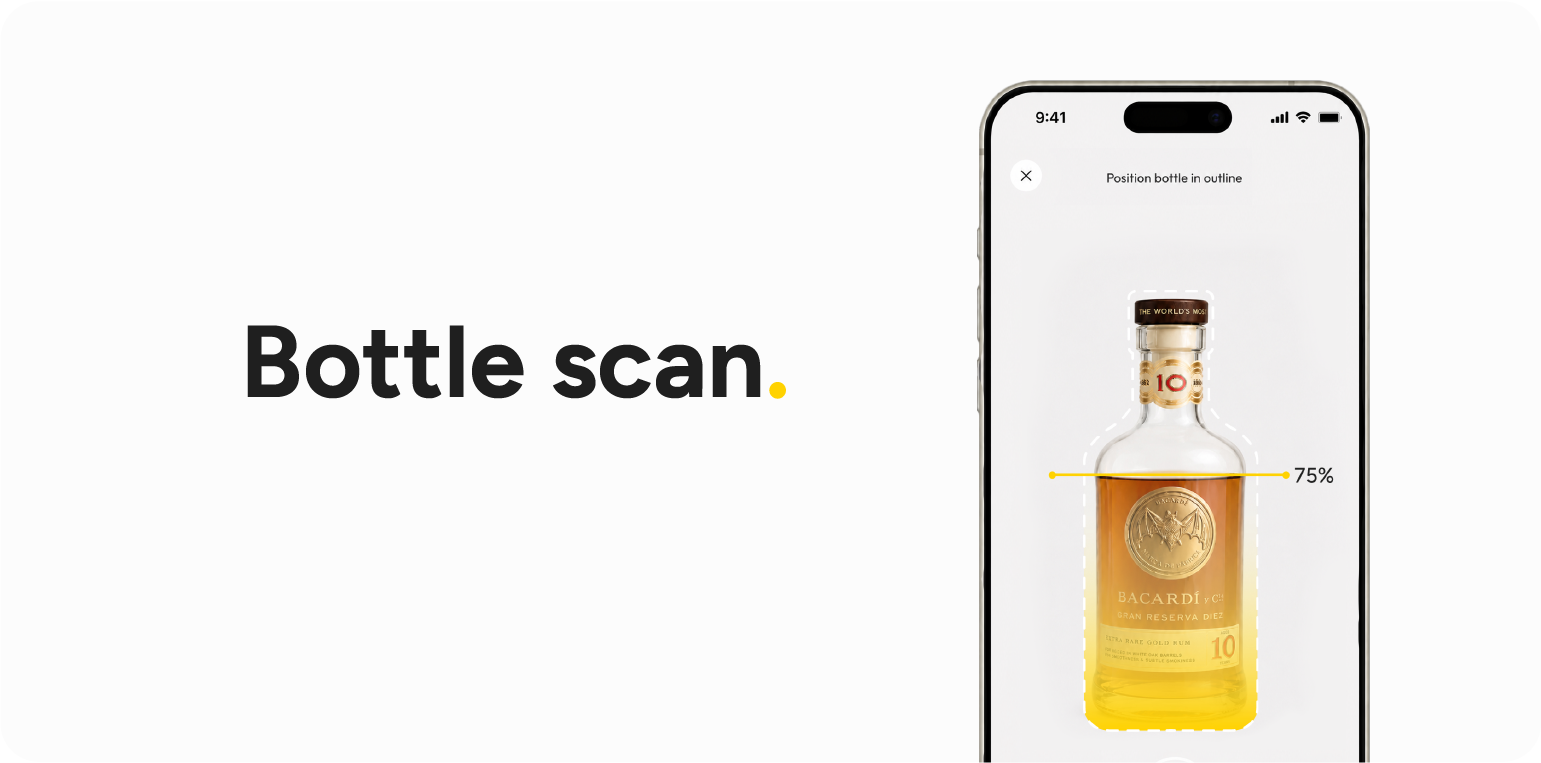
The bottle scanner is built for your most valuable and hardest-to-count stock. Point the camera at a bottle, and the app identifies the contents and bottle size from the label. It also reads the fill level, so you do not need to weigh each bottle.
For dark bottles, set the fill level by eye, and the app does the calculation. For unusual formats, such as a 4-litre bottle, enter the size, and Apicbase handles the rest.
AI for stock-taking in foodservice
What’s the AI technology behind the Apicbase stock-taking app? The AI used for voice, photo, and bottle counting turns your staff’s inputs into structured stock data. The AI’s job is interpretation: matching what your staff says or shows to the products in your database.
In practice, that means three things. It matches spoken language to your product list. It reads item names and quantities off a photographed count sheet. And it estimates fill levels from a single image of a bottle.
There’s one more: it auto-translates your product database into the languages your staff actually use. So a kitchen with mixed nationalities can each count in their own language, against the same underlying data.
Why a stocktaking app protects margin
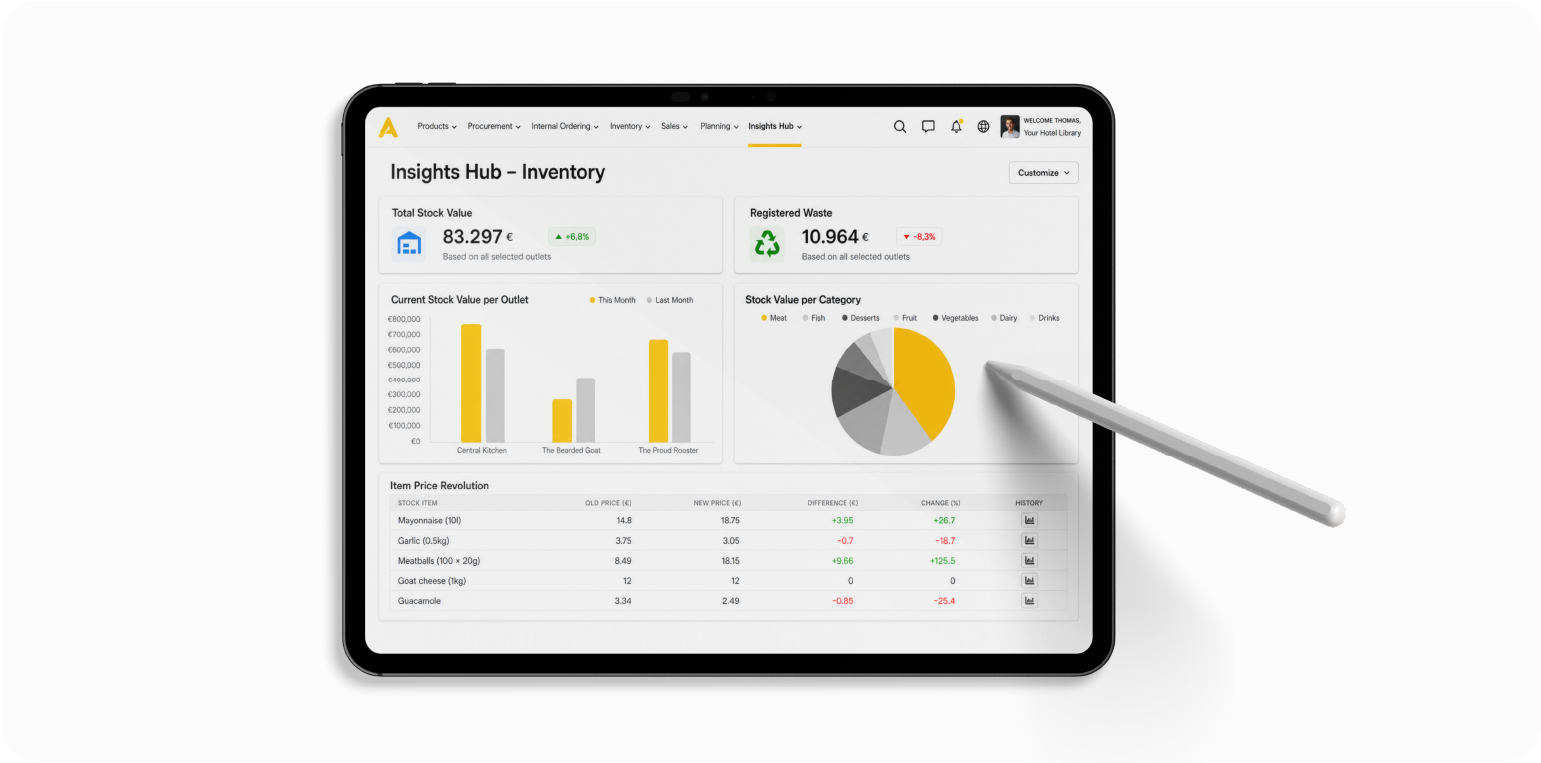
Apicbase data show that outlets that count weekly catch nine times as many discrepancies as those that count monthly. Leave it longer, and delivery errors, over-portioning, and shrinkage blur into a gap you can’t explain. Frequency is what matters, and frequency only happens when counting isn’t a chore.
A chef tapping on their phone for twenty minutes instead of wrestling with a clipboard for an hour is the difference between a count that gets done and one that gets skipped.
The data goes straight into the system. GMs instantly see whether stock control is improving week to week. Comparing results across outlets gives teams something to aim for and turns a compliance task into something people actually care about.
Most Apicbase customers already work this way. 90% count at least twice a month, and about half count once a week. Spot counts make up the bulk. Staff recount the items they’re concerned about. A full store count is usually once a month.
Connect your POS, and Apicbase automatically depletes stock as you sell, keeping your figures close without a manual count every day. For the mechanics behind the numbers, see theoretical vs. actual food cost and how accurate counts help you reduce food cost across sites, backed by recipe-level food costing.
Count stock consistently across all restaurant locations
The Apicbase app helps multi-site restaurants take stock consistently across locations. Simple counting methods make regular stock-taking realistic. Apicbase gives staff five ways to count, plus AI that turns unstructured input into structured inventory data. The result is fast, accurate, and connected stock counting.
See all five methods and POS-driven stock depletion in action: book a demo.
You can download the app from the App Store or Google Play to get started, and ask your account manager about the AI package to switch on voice, photo, and bottle scanning.
FAQ – Frequently asked questions
Yes. Apicbase is a stock-taking app with five counting methods: list count, barcode scanning, voice count, photo count, and a bottle scanner. It is available on the App Store and Google Play. It turns stock takes into structured data that lands straight into the inventory system, so the numbers are usable the moment you hit save.
For foodservice, the best barcode scanner inventory app is one that matches the scan to your recipes and stock. A generic scanner only reads numbers. The Apicbase app scans supplier barcodes and instantly pulls up the exact product from your database.
Apicbase AI turns speech, handwriting, and images into structured stock data. It matches spoken natural language to your items, reads quantities off a photographed count sheet, and estimates bottle fill levels from a single photo.
Yes. Voice count works in multiple languages, so staff can count in the language they speak. Simply select the language before you start. Apicbase AI can also auto-translate your product database into the languages your team uses, so everyone works against the same data in their own language.
More often than monthly. Among Apicbase customers, weekly counters catch more than nine times as many discrepancies as monthly counters. Because app-based counting is fast and supports spot counts, weekly and partial counts become realistic rather than a chore. The restaurant inventory management guide covers this in full for multi-site restaurants.